


jerrygoodman
Member++
-
Joined
-
Last visited
Everything posted by jerrygoodman
-
Ay caramba...
-
Well, the Phoenix is known for rising from the ashes too.
-
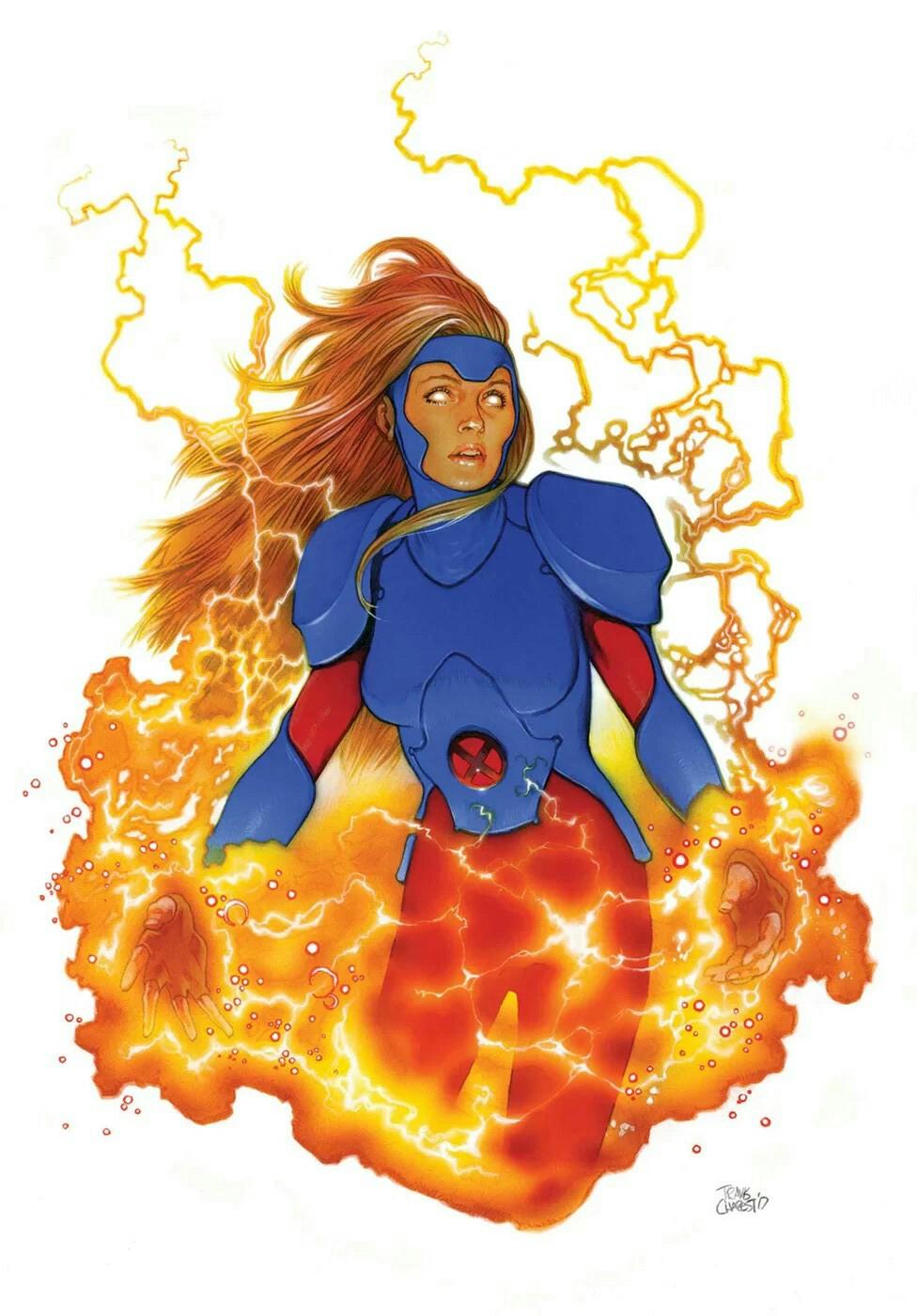
Been batting around this next challenger for awhile, but then I thought, "Yeah, definite contender against Archanfel." I give you...Jean Grey! One of the X-Men's original five, Jean has been stated to be an Omega-Level mutant. That is, she is a mutant with most powerful genetic potential of their mutant abilities. By birth, Jean is among the most powerful telepaths, telekinetics and psions. She is also one with the Phoenix Force, and while acting as its avatar she is one of the most powerful Abstract Entities in the Earth-616 universe. She also was considered to be a "Mutant Alpha-Psi", an Alpha Level Telepath, an Alpha-Level Mutant and Psionic of Highest Order. As Dark Phoenix, she has been stated to be a global threat and to manifest cosmic-level powers. According to Prosh, her Comparative Mutagenic Power Register was of 8.9. While accessing the Phoenix Force, Jean's empathy, telepathy, and telekinesis are greatly magnified and heightened to an incredible degree. The Phoenix Force also allows her to travel unaided through the vacuum of space, cross interstellar distances faster than the speed of light, and to manifest flames while using her powers, often in the shape of a fiery raptor. Although the full scale of Jean's powers currently are unclear, she stated that the Phoenix Force had been holding her back while she was its host. On many occasions, Jean has shown to have incredibly strong empathic powers that enable her to control, manipulate and alter the feelings, sensations, and emotions of others. It is because of her empathic abilities that the almighty Phoenix Force had chosen her as its rightful human host. In other versions, she had not been shown possessing any types of empathic abilities except for telekinesis and telepathy. Jean is able to read thoughts, project and broadcast her own thoughts, as well as affect the minds of humans and animals with higher order intelligence (such as dolphins, ravens or dogs). The range at which she can perform these feats is greatly increased while she is accessing the Phoenix Force. After her absorption of Psylocke's specialized telepathy, Jean's own telepathic skill and power was increased to a level at which she could create psionic firebirds capable of inflicting mental and physical damage. However this enhanced telepathy came at the temporary cost of her telekinesis. Projection of psychokinetic energy enables her to levitate objects, propel or manipulate them however she wishes, lift herself and move through the air to simulate flight, stimulate individual molecules to create heat, generate concussive force as blasts or bursts, and create protective shields. While she has access to the Phoenix Force, she is able to manipulate matter and energy on a sub-atomic scale using her telekinesis. She can even change her Phoenix clothes into a set of street clothes, and lift multiple heavy objects at once without having any difficulties. This is just a summation of her abilities, but the bottom line is, Archanfel would do well NOT to incur the Phoenix's wrath.

-
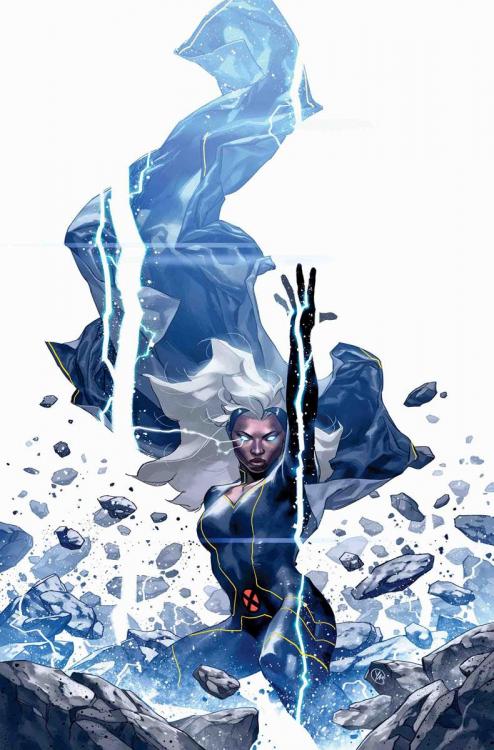
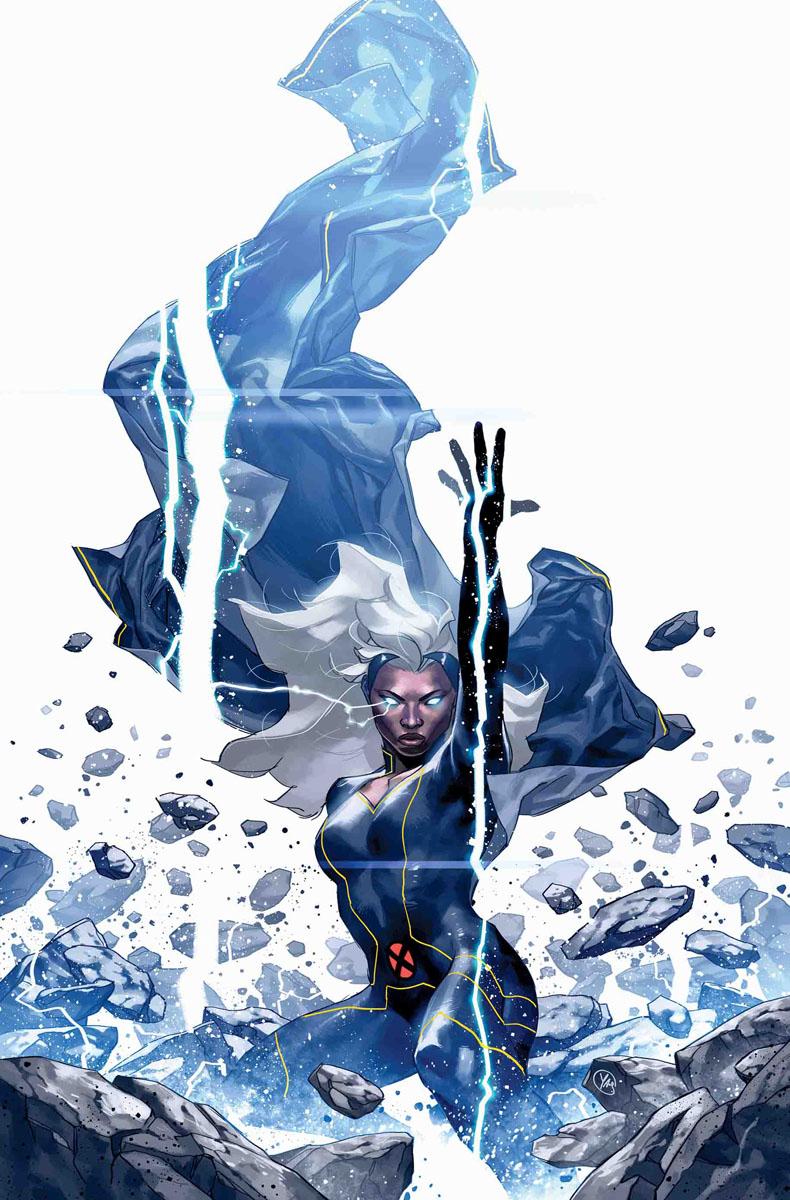
Took a look at Zenith over on ReadComicOnline, definitely looked pretty trippy (in a good way, though). And yeah, Peter St. John definitely seems like he could take on Archanfel. Anyone who could take on Lovecraftian entities definitely has something good going for him. Anyways, I've been thinking quite a bit about this next contender, and I figure...yeah, she might be able to stand against Archanfel. I give you, the Mistress of the Elements herself, Ororo Munroe aka STORM! A longtime member of the X-Men, Ororo possesses the mutant ability to control the weather and the atmosphere, and is widely considered to be one of the most powerful mutants on the planet. One of the primary sources of her powers is the Earth's electromagnetic field. Storm possesses the psionic ability to control all forms of Weather Manipulation. She has been able to control both Earthly and extraterrestrial ecosystems on several occasions. She can modify the temperature of the environment, control all forms of precipitation, humidity and moisture (at a molecular level), generate lightning and other electromagnetic atmospheric phenomena, and has demonstrated excellent control over atmospheric pressure. She can incite all forms of meteorological tempests, such as tornadoes, thunderstorms, blizzards, and hurricanes, as well as mist. She can dissipate such weather to form clear skies as well. Her precise control over the atmosphere allows her to create special weather effects. She can create precipitation at higher or lower altitudes than normal, make whirlwinds travel pointing lengthwise in any direction, channel ambient electromagnetism through her body to generate electric blasts, flash freeze objects and people, coalesce atmospheric pollutants into acid rain or toxic fog, and, along with her natural ability of flight, summon wind currents strong enough to support her weight to elevate herself (or others) to fly at high altitudes and speeds. Her control is so great that she can even manipulate the air in a person's lungs. She can also control the pressure inside the human inner ear, an ability she uses to cause intense pain. She can also bend light using moisture in the air and her manipulation of mist and fog to appear partially transparent, and in some cases, nearly invisible. Storm has also demonstrated the ability to control natural forces that include storms, solar wind, ocean currents, and electromagnetic energy. She has demonstrated the ability to separate water molecules into oxygen and hydrogen via electrolysis, allowing her to breathe underwater. While in outer space, she is able to affect and manipulate the interstellar and intergalactic mediums. Storm can alter her visual perceptions so as to see the universe in terms of energy patterns, detecting the flow of kinetic, thermal and electromagnetic energy behind weather phenomena and can bend this energy to her will. Going on this, I think Archanfel would do well to check the forecast before he tries to take on Storm. What do you think?
-
Before I introduce our next contestant, let me ask you a question...do you believe in Magik? The sister of Piotr Rasputin, aka Colossus, Illyana Nikolievna Rasputina possesses a number of formidable abilities. Among them are her ability to mentally control "stepping discs", which allowed herself and others to teleport across interstellar distances or through time. The discs are part of a dimension known as Limbo. This dimension is specifically known alternately as "Demonic Limbo", "Limbo-Belasco", or "Otherplace". However, when Illyana mentally calls for a Stepping Disc she must use Limbo as a midway point before she can teleport to an alternate location. In addition, Magik is the sorceress supreme of her Limbo dimension. The extent of her powers there are all powerful and powerful demons of Limbo did not dare challenge her. Magik had access to Belasco's store of mystical knowledge. Magik's sorcery was a unique mix of black magic, that she learned from Belasco, and white magic, that she was taught by an alternative-reality Ororo Munroe. She has also received mystic tutelage under Doctor Strange, having learned how to use the Eye of Agamotto, as well as spells from the Book of Vishanti. Illyana also possesses impenetrable psionic shields, most likely a result of the time she spent in Limbo and the effects of her partially demonic soul. As such even powerful telepaths such as Charles Xavier, David Haller, Emma Frost and Rachel Summers could not mentally read Illyana's thoughts or sense her psionically. Going on this alone, I would think even Archanfel should be cautious if he were to challenge Magik. What do you think?
_from_New_Mutants_Dead_Souls_Vol_1_1_Trading_Card_Variant_cover_001.thumb.jpg.8a23e5d503b4fbc04dcef080c70a09cd.jpg)
-
This next contestant could prove to be a real doozy...Wanda Maximoff, aka the Scarlet Witch! Wanda's main power is her superhuman ability to manipulate and warp reality at will, granted to her by the High Evolutionary's experiments and amplified by the demon Chthon. She accomplishes this by manipulating a force known as Chaos Magic. Her "hexes" were, by extension, simple, indirect manifestations of this magic, destabilizing probabilities by affecting energy fields and matter, ultimately inducing chaos. While acting as a conduit for the planet's Life Force, Wanda's powers are further amplified and not always under her conscious control; their effects persisted even after Dr. Strange's Eye of Agamotto shut down her mind. Even the combined efforts of the Sorcerer Supreme and Earth's most formidable psychic mind were unable to fully inhibit such effects for long. In addition, Wanda is actually considered the very Nexus Being of the central universe of Earth-616, serving as the entity that personifies the realm's character and serves as the focal point or anchor of that reality (Uatu described a nexus-being as one of the "rare individual entities with the power to affect probabilities-and thus the future"), making her along the scales of class and power as the other known nexus-beings. I think Ms. Maximoff would really be able to give Archanfel a run for his money. What say you?
_from_Marvel_Masterpieces_Trading_Cards_1992_Lost_Marvel_Cards_0001.jpg.f366d4c18466970c39dc7ddfa963a424.jpg)
-
Okay, time to reach across the pond this round. Coming in from Marvel's UK Branch, we have Shevaun Haldane, aka Dark Angel! The daughter of one of the board members of the organization Mys-Tech, Shevaun was approached by a being called the Angel of Death, which imparted upon her a fragment of the universe, granting her enormous power and knowledge. She also played a key role in the "Mys-Tech Wars," absorbing the UnEarth to prevent the planet's destruction and, along with Dr. Strange, Professor X, Albion, Death's Head II and Motormouth, were able to foil Mys-Tech's plans for Earth. Shevaun is bonded to her costume, which is part of the fabric of the universe. This is turn enables her to employ various types of energy blasts, as well as the ability to detect energies. In addition, she can open a portal to the "void", which enables her to absorb energies and have attacks pass through her body. Shevaun can fly via graviton manipulation, and possesses extrasensory abilities which are enhanced via her goggles. Professor X has even stated that she may be one of the most powerful beings in existence. So...anyone here think Miss Haldane could take on Archanfel?
_from_Revolutionary_War_Dark_Angel_Vol_1_1_005.jpg.d1f74c0234eead174c9ea4f47280ca5f.jpg) Let's change this up a bit...our next contestant hails from the alien race known as the Technarchy...WARLOCK! A techno-organic being, Warlock''s form constantly changes shape, and is capable of surviving the rigors of space. In addition, he is capable of injecting a techno-organic virus into any object, converting it into a techno-organic form like himself, which he can then absorb. Additionally, he can absorb pure energy. After being infused with nano-technology, Warlock can repair his body as it is damaged, allowing him to "upgrade," adapting to any given situation. The nanotech also enhances Warlock's shapeshifting abilities, allowing him to mimic forms and weapons. So...who thinks 'Lock can give Archanfel a hard time?
Let's change this up a bit...our next contestant hails from the alien race known as the Technarchy...WARLOCK! A techno-organic being, Warlock''s form constantly changes shape, and is capable of surviving the rigors of space. In addition, he is capable of injecting a techno-organic virus into any object, converting it into a techno-organic form like himself, which he can then absorb. Additionally, he can absorb pure energy. After being infused with nano-technology, Warlock can repair his body as it is damaged, allowing him to "upgrade," adapting to any given situation. The nanotech also enhances Warlock's shapeshifting abilities, allowing him to mimic forms and weapons. So...who thinks 'Lock can give Archanfel a hard time?_(Earth-616)_from_New_Mutants_Dead_Souls_Vol_1_3_001.jpg.953af0eeab94ac2d6cb37901e67c63cc.jpg) Well, I'm bored, and I thought I'd start this up again. Here's my next contestant, hailing from the universe of Mortal Kombat...RAIDEN! The eternal God of Thunder, protector of Earthrealm, and one of the most powerful characters in the MK franchise. Who thinks he could hold his own against Archanfel?Threw this together as a gag XD
Well, I'm bored, and I thought I'd start this up again. Here's my next contestant, hailing from the universe of Mortal Kombat...RAIDEN! The eternal God of Thunder, protector of Earthrealm, and one of the most powerful characters in the MK franchise. Who thinks he could hold his own against Archanfel?Threw this together as a gag XD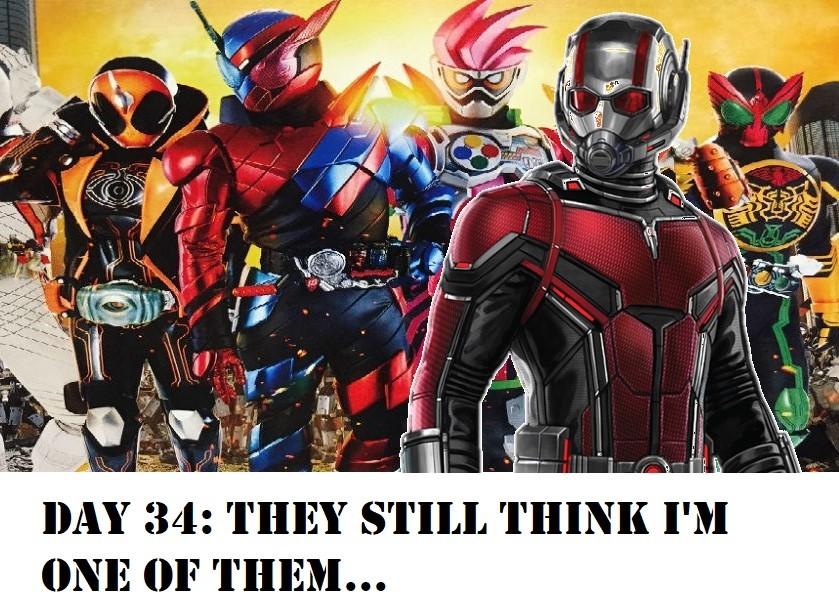 Okay, just for the sake of keeping this alive...does anyone have any news about anything at this point?Everyone please rise for the playing of the Godzilla National Anthem...Me, I hope the multiverse bit is true...that could open up all sorts of possibilities!Funny you should say that, because that's exactly who they are: http://www.marvunapp.com/Appendix/elementl.htmWARNING - DO NOT WATCH THIS UNTIL YOU'VE SEEN AVENGERS: ENDGAME!!!!So...still nothing, I take it?I think this speaks for itself...WHAT EVER IT TAKES.Some people move on...but not us. Not us.So, after watching Spider-Man: Into the Spider-Verse (and getting 'Spidey Bells') stuck in my head, I've decided to write a Guyver-inspired little ditty called, "Guyver Bells." Ohhhhhh, Guyver Bells, Guyot Smells Balcus Laid an Egg Archanfel raises Hell And Aptom Got Away, Hey! Guyver Bells, Gregole Yells Vamore shoots his ray MegaSmasher's off the chain It's time to run away! ...I'll let you ponder this for a bit.So...I'm guessing still nothing this month?I'm posting this because it's stuck in my brain...and now it's gonna get stuck in yours.


_from_New_Mutants_Dead_Souls_Vol_1_1_Trading_Card_Variant_cover_001.jpg.1df5be2289fbdc8d8ffd1b16d89e1a04.jpg)

Account
Navigation
Search
Configure browser push notifications
Chrome (Android)
- Tap the lock icon next to the address bar.
- Tap Permissions → Notifications.
- Adjust your preference.
Chrome (Desktop)
- Click the padlock icon in the address bar.
- Select Site settings.
- Find Notifications and adjust your preference.
Safari (iOS 16.4+)
- Ensure the site is installed via Add to Home Screen.
- Open Settings App → Notifications.
- Find your app name and adjust your preference.
Safari (macOS)
- Go to Safari → Preferences.
- Click the Websites tab.
- Select Notifications in the sidebar.
- Find this website and adjust your preference.
Edge (Android)
- Tap the lock icon next to the address bar.
- Tap Permissions.
- Find Notifications and adjust your preference.
Edge (Desktop)
- Click the padlock icon in the address bar.
- Click Permissions for this site.
- Find Notifications and adjust your preference.
Firefox (Android)
- Go to Settings → Site permissions.
- Tap Notifications.
- Find this site in the list and adjust your preference.
Firefox (Desktop)
- Open Firefox Settings.
- Search for Notifications.
- Find this site in the list and adjust your preference.