Leaderboard
-
guyversudo
*VIP member3Points172Posts -
Salkafar
Member++2Points1,339Posts -

PrimalNemesis
*VIP member1Points578Posts -
Gazham
Member++1Points529Posts



Popular Content
Showing content with the highest reputation on 09/12/2015 in all areas
-
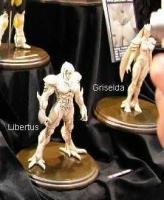
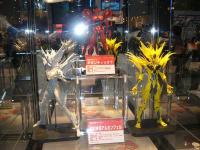
2 pointsHere is what we are working towards. Thanks Sudo I'm not going to stop, I will keep on fighting.



 2 points
 -
1 pointLove the forum. Been a guyver fan since the 90's. Does anyone know how I can get the 2nd movies's or the best anime version. http://guyver-world.ru/pics/cosplay/big/guyver-costume.jpg I tried emailing the Wang brothers to no avail. Thanks all of you!1 point
-
1 pointSo what we have here is a character whose background is a mystery (so, in practice, he has none), who is for all intents and purposes completely invincible, who doesn't do anything except torture and destroy, and whose goal consists of 'becoming even more invincible'. And who will be the hero of his story? Because this guy is the villain of the piece.1 point
-
1 pointMaybe it's intentional. We're in classic 'kyodai hero' territory. Archanfel is no Rita Repulsa, but he did come out of a container after a really long time.1 point
-
1 pointWell, advocacy has been translating all this time while no one else has. For the small contribution, it's well worth it, regardless of what font or how it's translated. If some new kid on the block wants to make a jib, after only a small effort, I don't think it's a biggie. Thanks to the team that has continually put the effort in, it's much apperciated1 point
-
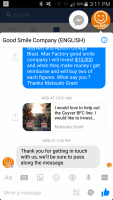
1 pointThis is my reply from Goodsmilecompany on Facebook messenger. Thanks sudo
 1 point
 -
1 pointThe cheap jab to the Advocacy was unnecessary and unprofessional. I will not bother wasting my precious time with people like this. My loyalty has and always will be with the Advocacy.1 point