
jerrygoodman
Member++
-
Joined
-
Last visited
Everything posted by jerrygoodman
-
What happens when your next opponent...is you?
-
The battle continues!
-
Beta Ray Bill WIP


-
Can't help but wonder if this is a hint that the certain friendly-neighborhood web-slinger will appear...
 This is gonna be the big one...Something is coming...something even they're afraid of.Who remembers the MC2 titles?
 Still pretty quiet. But...still keeping my eyes and ears open!A work in progress, but just had to post this...
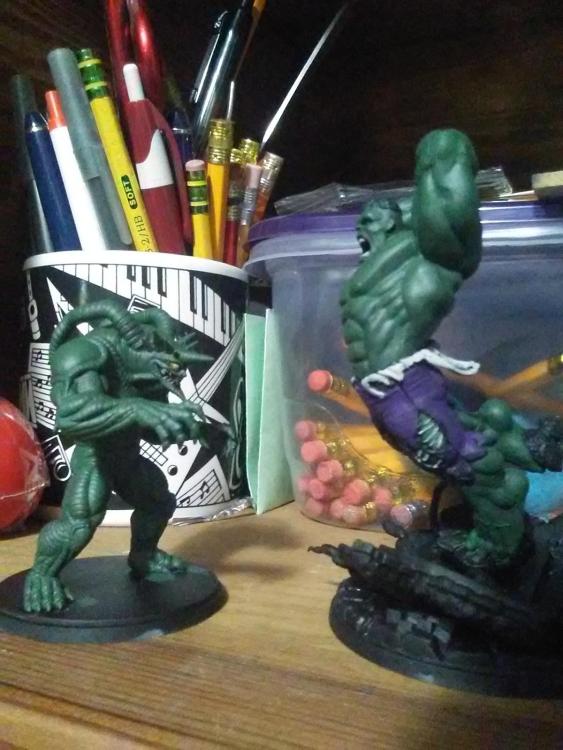 "Tall, dark and horny at 12 o'clock!" Welcome back, Peter...Coming soon!And look who's making a schway appearance!
 The Crisis continues...
Account
Navigation
Search
Configure browser push notifications
Chrome (Android)
- Tap the lock icon next to the address bar.
- Tap Permissions → Notifications.
- Adjust your preference.
Chrome (Desktop)
- Click the padlock icon in the address bar.
- Select Site settings.
- Find Notifications and adjust your preference.
Safari (iOS 16.4+)
- Ensure the site is installed via Add to Home Screen.
- Open Settings App → Notifications.
- Find your app name and adjust your preference.
Safari (macOS)
- Go to Safari → Preferences.
- Click the Websites tab.
- Select Notifications in the sidebar.
- Find this website and adjust your preference.
Edge (Android)
- Tap the lock icon next to the address bar.
- Tap Permissions.
- Find Notifications and adjust your preference.
Edge (Desktop)
- Click the padlock icon in the address bar.
- Click Permissions for this site.
- Find Notifications and adjust your preference.
Firefox (Android)
- Go to Settings → Site permissions.
- Tap Notifications.
- Find this site in the list and adjust your preference.
Firefox (Desktop)
- Open Firefox Settings.
- Search for Notifications.
- Find this site in the list and adjust your preference.