Skip to content
View in the app

A better way to browse. Learn more.

Japan Legend / Guyver Forum

A full-screen app on your home screen with push notifications, badges and more.

To install this app on iOS and iPadOS
  1. Tap the Share icon in Safari
  2. Scroll the menu and tap Add to Home Screen.
  3. Tap Add in the top-right corner.
To install this app on Android
  1. Tap the 3-dot menu (⋮) in the top-right corner of the browser.
  2. Tap Add to Home screen or Install app.
  3. Confirm by tapping Install.

Leaderboard

Popular Content

Showing content with the highest reputation on 11/04/2015 in all areas

  1. Holy cow. Pokémon meets Shadow of the Colossus.
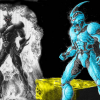
  2. I support the version they turning red and his own colour became more "bright": Officially we don't know it yet. Maybe we will know it when the 32 volume of the manga will be published. Kind of reminds me of the color scheme of Guyver 3 back in the 12 part series.
  3. Okay, time for something a little more obscure...
  4. But the main villain of Iron Man 3 was scary.

Account

Navigation

Search

Search

Configure browser push notifications

Chrome (Android)
  1. Tap the lock icon next to the address bar.
  2. Tap Permissions → Notifications.
  3. Adjust your preference.
Chrome (Desktop)
  1. Click the padlock icon in the address bar.
  2. Select Site settings.
  3. Find Notifications and adjust your preference.