Leaderboard
-
Cannibal
Member++3Points763Posts -
Mirabilis
Member++2Points770Posts -
Salkafar
Member++1Points1,339Posts -

jerrygoodman
Member++1Points1,240Posts




Popular Content
Showing content with the highest reputation on 11/02/2015 in all areas
-
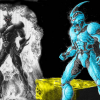
2 pointsI support the version they turning red and his own colour became more "bright": Officially we don't know it yet. Maybe we will know it when the 32 volume of the manga will be published.2 points
-
The possibility that we already have a source art for the cover somewhere in published chapters is very high, so I made a poll. I think there will be Agito's XD on the cover. Also, who will be on the colour page and in datafiles? I think we will have JabiroLuggnagg and one or two of the new zoanoids in the datafiles and I fear that there will be Luggnagg's base on the colour page.1 point
-
1 point
-
1 point
-
1 point
-
1 pointI know Sho's Gigantic changes from a pale yellow to red when in Gigantic Exceed mode. Do we know if Agito's change color as well or perhaps the armor detail that is pale yellow turn into red?1 point
-
I am Dutch, so all I will say is: This is the payoff for driving SUVs.1 point