
Leaderboard
-
lost unit
Member++2Points435Posts -
Gazham
Member++2Points529Posts -

Gray5
Member++1Points355Posts -
Bio-Boosted Dude
Staff1Points639Posts



Popular Content
Showing content with the highest reputation on 02/04/2017 in all areas
-
Doing God's work lost unit! Thanks a lot man. Really looking forward to seeing the artwork.1 point
-
thanks Guyverfan for the tip, i have finished scanning all the book and edited them front to back and passed the finished book to Sully who will manage it from his side. Its a great addition to have with some great artwork.1 point
-
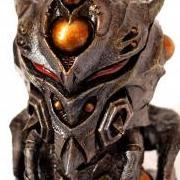
1 pointSo I had had a chance to fix it this this weekend, I took the ball joint apart, filed everything down with a set of needle files and put lots or layers or glue on the broken part, filing and cleaning after watching layer. it's not perfect, I had to leave the joint slightly loose just to make it easier to pose so the damaged part doesn't break while setting him in position. Is back on display with the gigantics and Imakarum!1 point
-
A Guyver 0 model has popped up on Buyee but because the seller has no rating it won't even let me bid on it1 point
-
Thanks for the tip Bio-Boosted Dude i am already doing this, the sketches are printed on both sides so i am getting the opposite page burning through. The book is 14 x 10 inches and 48 pages in black and white. I have done ten of the pages so far some pages are difficult than others.1 point