
Leaderboard
-
Salkafar
Member++2Points1,339Posts -

Matt Bellamy
Admin1Points1,477Posts -
Gazham
Member++1Points529Posts


Popular Content
Showing content with the highest reputation on 07/03/2016 in Posts
-
It's especially amazing compared to how lame it was in the remake. They don't make 'em like they used to....1 point
-
1 pointEither way, it's favorite amine/manga of all time. It was the first one I properly got into. it's not the most gripping or smartest, but to me it's the coolest1 point
-
1 point
-
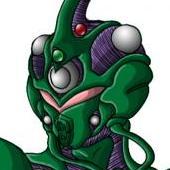
Yeah, there is some definite issues sometimes because of the way the heads and necks of some Zoanoids are handled. Enzyme 2's height is listed as 11'5 / 347cm tall... And while in this pic his one "arm" does reach that... I am betting it is probably supposed to be his back that reaches that size... But it also could be if he stretches his neck... We really have the same problem with Elegan, who is 10'3 / 312cm... But is that with is neck full extended etc... A lot of the time, I believe the official height uses the pictures provided for the height, and usually leave out things like horns and pods... So Enzyme 2 might be bigger than the provided picture. However, Guyot is that tall! He is listed at 10'2 / 310cm. Most of the Zoalords are huge in battle form. Even Alkanphel is 9'7 / 292cm ( from a 5'10 / 178cm body). And Guyot is only the second tallest in human form... If Galenos has a "normal" battle form, chances are, he will be much taller as well.1 point