Leaderboard
-

Gray5
Member++2Points355Posts -
username
Member+1Points10Posts -

Matt Bellamy
Admin1Points1,477Posts -
alkanfel009
Member++1Points249Posts



Popular Content
Showing content with the highest reputation on 12/28/2013 in all areas
-
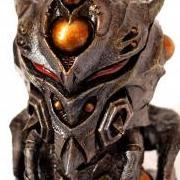
1 pointI was going to say the same thing... But I probably was going to come off a bit more "Grumpy Old Man-ish", since I've read manga from some artists who have had their series shortened/cancelled due to deadline issues. Either way, I am glad to see we got to see the "Aptom Armor" again, even if it was just in a short 8 pages. Was too cool of a design to not use again.1 point
-
1 pointsolo una cosa describe este capÃtulo clÃmax épico one thing this chapter describes epic climax1 point
-
1 pointhttp://www.japan-legend.com/forum/index.php/topic/7590-david-hayter-made-my-day/ i think a new hollywood high budget, franchised guyver movie was on everyones' top5 christmas wish list.1 point
-
1 pointTo update this I have some sad news. I had sent a message to Steve Wang like a week ago on facebook he actually responded yesterday, which was a pleasant suprise. But he basically said he and hayter were at a mutual friends bday party and they did talk but he said it was not really serious. He also said he didn't have the rights and didn't know who did. Also.that he thought david had the best chance to get anything off the ground. So not what I wanted to.hear but damn was I surprised when he responded. You do not see that alot most people wouldn't take time out.pf their day to deal with fans. Especially when it is about a 20 yr old movie. So atleast fr this i found out steve wang is a stand up guy, and just a generally nice person.1 point