Skip to content
View in the app

A better way to browse. Learn more.

Japan Legend / Guyver Forum

A full-screen app on your home screen with push notifications, badges and more.

To install this app on iOS and iPadOS
  1. Tap the Share icon in Safari
  2. Scroll the menu and tap Add to Home Screen.
  3. Tap Add in the top-right corner.
To install this app on Android
  1. Tap the 3-dot menu (⋮) in the top-right corner of the browser.
  2. Tap Add to Home screen or Install app.
  3. Confirm by tapping Install.

Leaderboard

Popular Content

Showing content with the highest reputation on 10/11/2020 in all areas

  1. There has being some issues with the message board (part of the Database is 15 times what is should be so the ISP keeps turning off theboard). As part of the fix to this I've upgraded the messageboard, which has turned off the chat box... it will be back later.
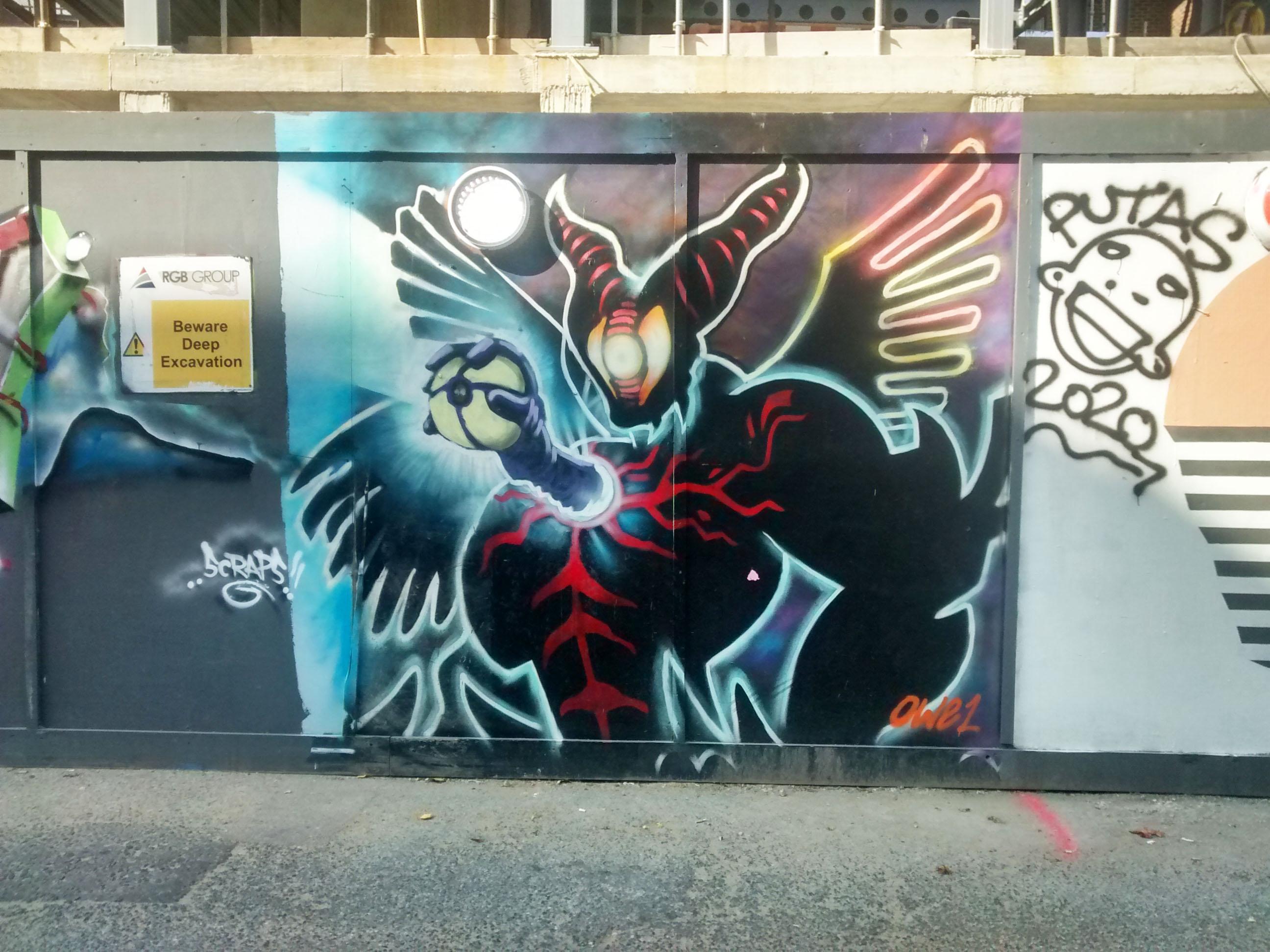
  2. Found something kind of neat while walking around Old Street in East London... A surprisingly recent and specific moment to find graffiti'd on the street - which one of you was this then eh?? Exact location is Bache's Street if anyone is local and wants to see it for themselves

Account

Navigation

Search

Search

Configure browser push notifications

Chrome (Android)
  1. Tap the lock icon next to the address bar.
  2. Tap Permissions → Notifications.
  3. Adjust your preference.
Chrome (Desktop)
  1. Click the padlock icon in the address bar.
  2. Select Site settings.
  3. Find Notifications and adjust your preference.