Leaderboard



Popular Content
Showing content with the highest reputation on 06/15/2019 in all areas
-
2 pointsJust had my Guyver 2 vinyl 1:1 head come in to go with the Guyver 1 I had. Wish I could afford the Prime1 stuff but had to put the money elsewhere.2 points
-
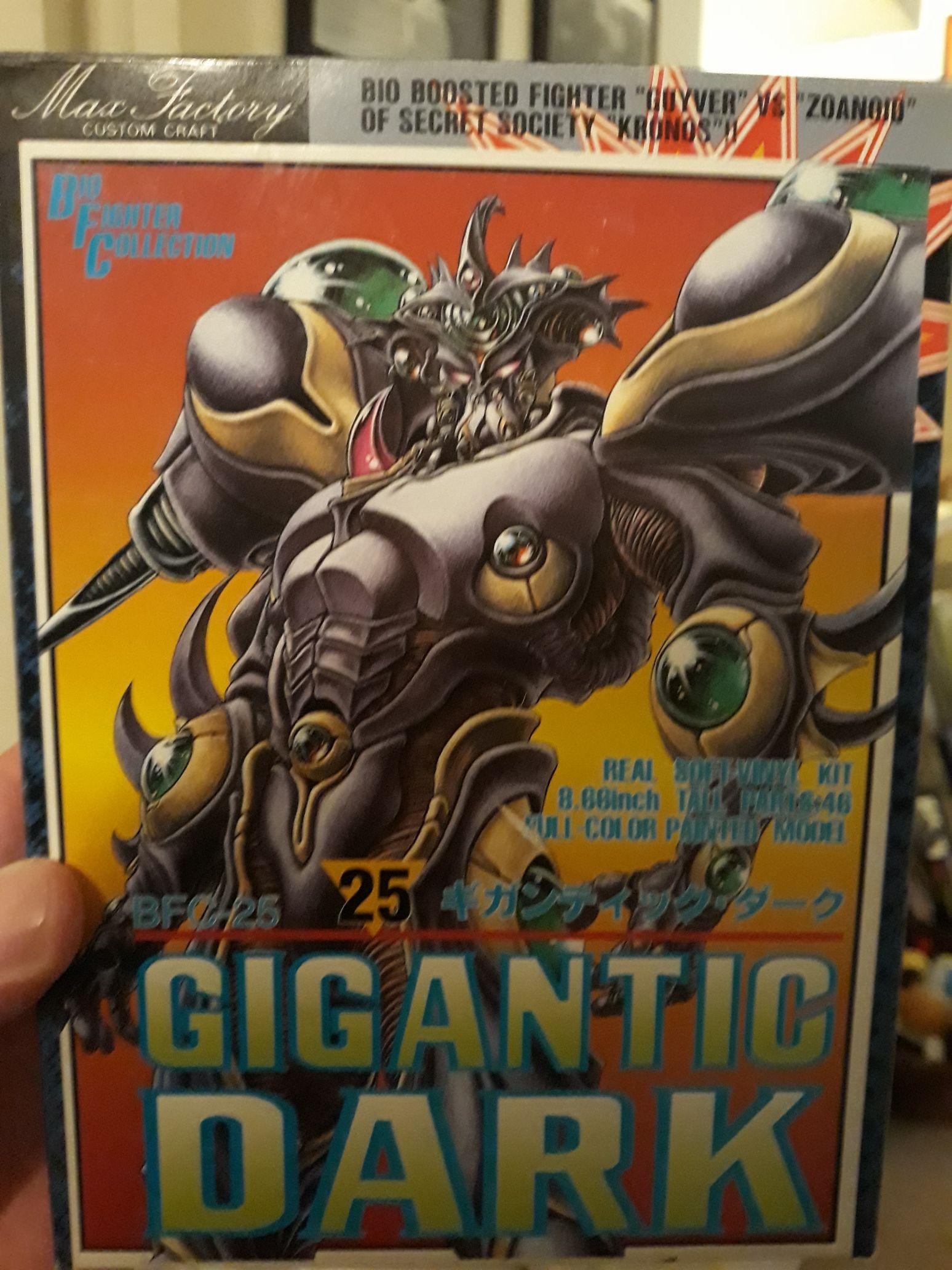
2 pointsThanks a lot dude! Your stuff is incredible. I've limited myself to action figures for now, never done busts or statues, but I do like 1:6 scale stuff. Looking forward to the Guyver I & III, they will look good with the 1:6 Gigantics! As far a BFC/BFW, I have more in the attic I want to add, but only have room to add one more to this display. Out of Murakami, Guyot, Aptom, NEO Zx-Tole, Imakarum, Pluqsthal & Evil Aptom, which one should I choose?? I'm also still desperately after a BFW Zerbebuth and Barcus, but could never find them!!2 points
-
Awesome stuff my man! If Guyver was my only series I'd get more, but with other stuff it becomes impossible to get everything. So what do we think? Guyot or Imakuram? I've narrowed it down to 2!1 point
-
Sweet collection dude!! I got the guyver1 bust and enzyme2 model. Can't have the bust until my birthday, lol! All I need now is a guyver0 for my display. And aptom version2. I pre ordered guyver3 bust too. Keep on collecting and keep us posted on wonfest!1 point
-
Been a while, but decided to get my figures out the attic, dust them off and set up a display!! Finger crossed for some more reveals at WonFes next month!!1 point
-
1 point