Leaderboard
-

Matt Bellamy
Admin2Points1,477Posts -
Maze247365
Member+1Points46Posts -
Zaxxon55
Member1Points3Posts



Popular Content
Showing content with the highest reputation on 03/18/2018 in all areas
-
Always nice to see when actors from a movie you like get back together even for just one photo. https://twitter.com/DavidBHayter/status/974523927635480578 *edit* And this was also posted... With Steve Wang... https://twitter.com/DavidBHayter/status/9747861500269813771 point
-
Updated with a second tweet of Hayter's... With some guy name Steve Wang...1 point
-
Oh so this figure IS perfect but it breaks easily, got it! Sorry to hear that but thank you for telling me. Maybe there's some kind of oil I can use that won't damage the figure to loosen it up. I found this photo on myfigurecollection.net where the waist is completely past the levitation orb. I was like damn, thank God that's not my figure lol. https://myfigurecollection.net/picture/50796&context[]=itemId%3A18011 point
-
I actually just got more frames in yesterday to frame the 3 second season discs. Just as an FYI, LD's are the exact same size as your standard Record LP, and there are some good options for framing/displaying those (See image). These are the frames I use: https://www.amazon.com/MCS-12-5x12-5-Gallery-Aluminum-65506/dp/B009ARXSXA/ref=sr_1_4?ie=UTF8&qid=1518819080&sr=8-4&keywords=record+frame+6+pack

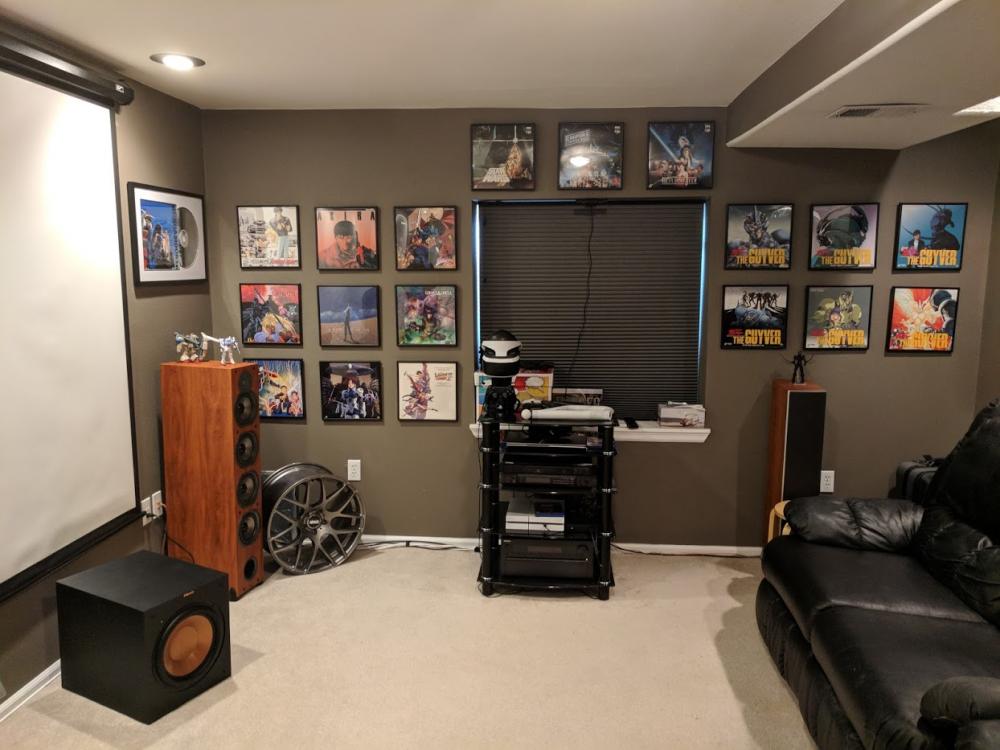 1 point