
Leaderboard
-
H222G981
Member++1Points1,167Posts -
G'-illusion Studio
Member+1Points39Posts

Popular Content
Showing content with the highest reputation on 04/13/2021 in all areas
-
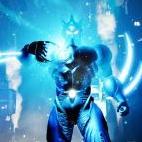
As this is an indie game project without official copyright, I can't get any investment from some big sponsor. That's why I setup a patreon a/c for funding. If I got enough funding, at least for my living. I will continue to work on this project in full time. So, the progress will be much faster. If it's possible, I can hire some 3D artist or programmer to join this project too. Yeah, I want to start working on new characters too, also the online mode. That'll get every guyver fans on fire I think. Ha..1 point
-
That's quite an undertaking. You must not get a whole lot of time to yourself between work and your Guyver project. I see. What kind of support are you lacking? I can't wait to see Aptom and Richard Guyot in action. That'll be very entertaining to see.1 point