Skip to content
View in the app

A better way to browse. Learn more.

Japan Legend / Guyver Forum

A full-screen app on your home screen with push notifications, badges and more.

To install this app on iOS and iPadOS
  1. Tap the Share icon in Safari
  2. Scroll the menu and tap Add to Home Screen.
  3. Tap Add in the top-right corner.
To install this app on Android
  1. Tap the 3-dot menu (⋮) in the top-right corner of the browser.
  2. Tap Add to Home screen or Install app.
  3. Confirm by tapping Install.

Leaderboard

Popular Content

Showing content with the highest reputation on 04/29/2017 in all areas

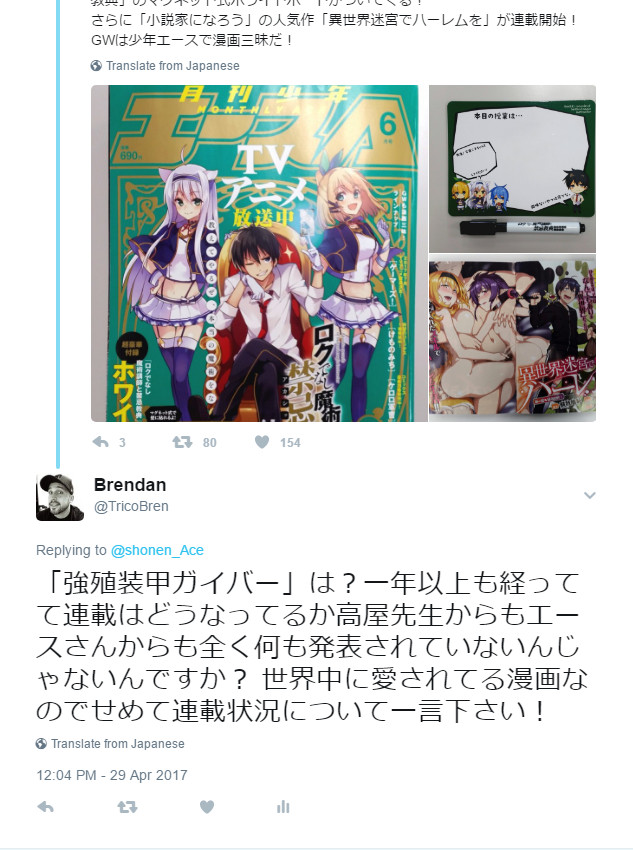
  1. Done! I said "And what about Guyver? It's been more than a year and we've heard nothing about the status of the serialization from either you or Takaya. This manga is loved by many all around the world so at the very least you could give us an update on what's going on!" I doubt they'll reply but I feel better for saying it at least. Feel free to retweet my comment so they get the message!
  2. Cool, at least with that and me asking in English it might prod them. Lets see. P.S. anyone else in the board who wants to ask is more than welcome, but please keep it civil like Brendan

Account

Navigation

Search

Search

Configure browser push notifications

Chrome (Android)
  1. Tap the lock icon next to the address bar.
  2. Tap Permissions → Notifications.
  3. Adjust your preference.
Chrome (Desktop)
  1. Click the padlock icon in the address bar.
  2. Select Site settings.
  3. Find Notifications and adjust your preference.