

Skip to content
View in the app

A better way to browse. Learn more.

Japan Legend / Guyver Forum

A full-screen app on your home screen with push notifications, badges and more.

To install this app on iOS and iPadOS
  1. Tap the Share icon in Safari
  2. Scroll the menu and tap Add to Home Screen.
  3. Tap Add in the top-right corner.
To install this app on Android
  1. Tap the 3-dot menu (⋮) in the top-right corner of the browser.
  2. Tap Add to Home screen or Install app.
  3. Confirm by tapping Install.

Leaderboard

Popular Content

Showing content with the highest reputation on 11/15/2016 in all areas

  1. 1 point
    If anyone is interested interested; http://buyee.jp/item/yahoo/auction/s507586812 Enzyme II with box in good condition. It says 1 day remaining. There's gigantic bfc max, gigantic dark bfc max and a damaged pluqstahl bfc max too. Mine arrived damaged in the same spot, but managed to fix it with some super glue!
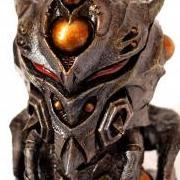
  2. .....And just purchased the Aptom V4 precolored model!!!

Account

Navigation

Search

Search

Configure browser push notifications

Chrome (Android)
  1. Tap the lock icon next to the address bar.
  2. Tap Permissions → Notifications.
  3. Adjust your preference.
Chrome (Desktop)
  1. Click the padlock icon in the address bar.
  2. Select Site settings.
  3. Find Notifications and adjust your preference.