
Leaderboard
-
Cannibal
Member++3Points763Posts -

Matt Bellamy
Admin1Points1,477Posts -
neozxtole
Member++1Points71Posts


Popular Content
Showing content with the highest reputation on 06/29/2015 in all areas
-
2 pointsThat was some great action chapter! It's nice to see Yoshiki making such a fast pacing chapter and compare it to, let's say, the "Aptom's rescue 18-25 tankobons mission"2 points
-
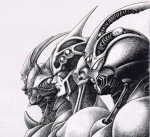
1 pointThe Guyver armor is powerful. No wonder Chronos was afraid of them. I can only imagine how much more afraid they became once the Gigantic appeared.1 point
-
Maybe it would. Maybe they need a LOT of power to do so. Say, from a collection of Zoacrystals?1 point
-
1 pointArchived Chinese scanlate: download: https://www.mediafire.com/?sq33kevwsv51nxv mirror: http://dvusrachek.rusfolder.net/438678991 point