Skip to content
View in the app

A better way to browse. Learn more.

Japan Legend / Guyver Forum

A full-screen app on your home screen with push notifications, badges and more.

To install this app on iOS and iPadOS
  1. Tap the Share icon in Safari
  2. Scroll the menu and tap Add to Home Screen.
  3. Tap Add in the top-right corner.
To install this app on Android
  1. Tap the 3-dot menu (⋮) in the top-right corner of the browser.
  2. Tap Add to Home screen or Install app.
  3. Confirm by tapping Install.

Leaderboard

Popular Content

Showing content with the highest reputation on 05/06/2015 in all areas

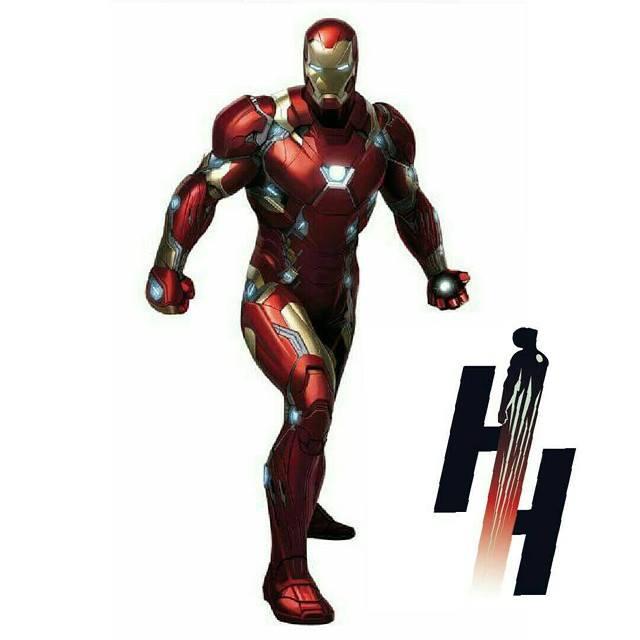
  1. Another look at the "Bleeding Edge" armor... Well, that's entirely dependent on who the writer is. We've seen Iron Man kick the crap out of Cap, but we've also seen Cap kick the crap out of Iron Man. Also depends on who plays dirtier. For me, I'm a little bias since I'm a Cap fan, so I'm definitely rooting for Cap. Not to mention that Steve has a track record of holding his own against beings stronger than him...
Account

Navigation

Search

Search

Configure browser push notifications

Chrome (Android)
  1. Tap the lock icon next to the address bar.
  2. Tap Permissions → Notifications.
  3. Adjust your preference.
Chrome (Desktop)
  1. Click the padlock icon in the address bar.
  2. Select Site settings.
  3. Find Notifications and adjust your preference.