Leaderboard
-

LordSpleach
Member++1Points1,737Posts -
Aether
Member++1Points693Posts


Popular Content
Showing content with the highest reputation on 05/03/2013 in all areas
-
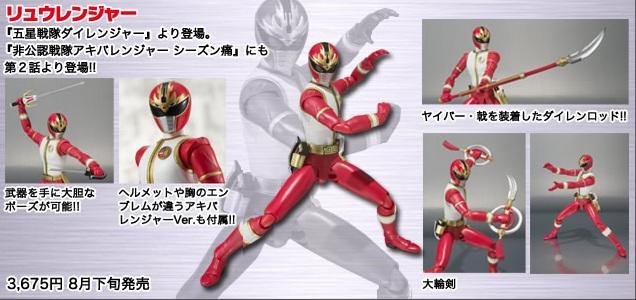
That's awesome that he comes with the Chinaman head from Akibaranger.1 point
-
oh well, at least you know you have a classic to watch when you get a chance... i still have the fondest memories of this sentai. i read in your blog about your recent events so good luck with it all.. (depending on how you look at it ) you can look forward to a time when you have nothing to do but watch toku /sentai! kind of related - SHF figuarts just announced a figure of Ryu Ranger so my wallet is crying because it would be extremely rude of me not to get it! but at least i have 4 months to save up!
 1 point