Skip to content
View in the app

A better way to browse. Learn more.

Japan Legend / Guyver Forum

A full-screen app on your home screen with push notifications, badges and more.

To install this app on iOS and iPadOS
  1. Tap the Share icon in Safari
  2. Scroll the menu and tap Add to Home Screen.
  3. Tap Add in the top-right corner.
To install this app on Android
  1. Tap the 3-dot menu (⋮) in the top-right corner of the browser.
  2. Tap Add to Home screen or Install app.
  3. Confirm by tapping Install.

Leaderboard

Popular Content

Showing content with the highest reputation on 03/26/2013 in all areas

  1. 1 point
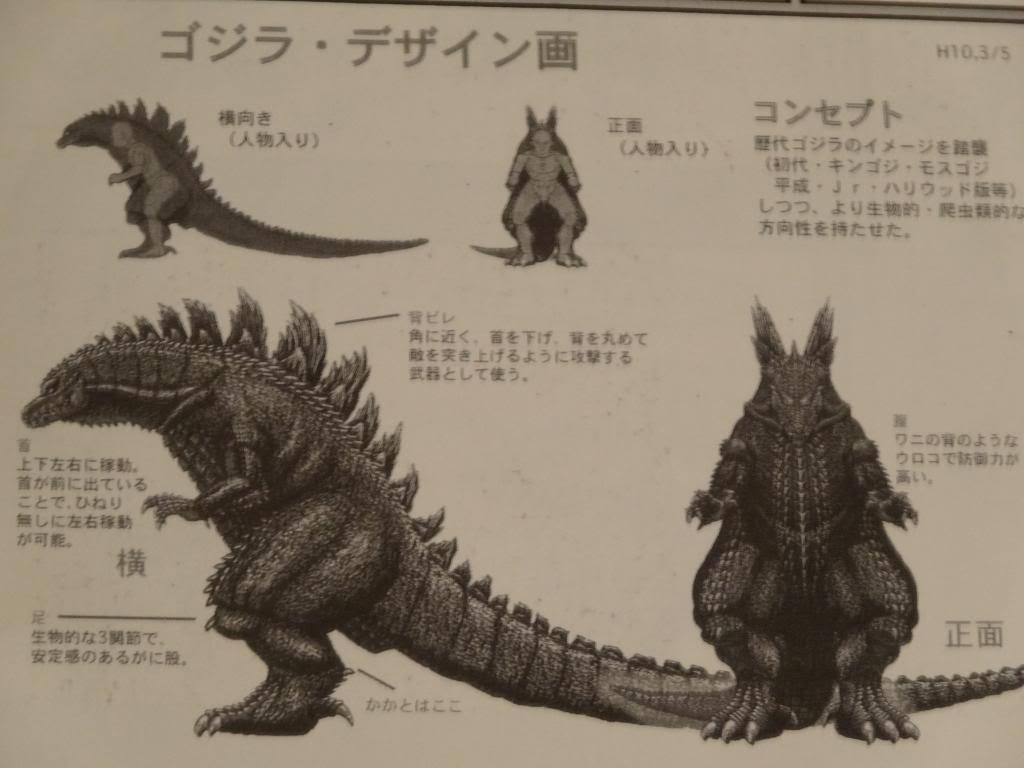
    well, there is a recent news saying that they are going to use a suit as well as cg to improve the visuals, the news article provided an image of an unused suit concept for the movie which looks pretty cool and makes me wonder what is the final design.
  2. 1 point
    The sneaking suit! Sho's going David Hayter again! God we all had spazy geek out on that issue.
  3. I like the reference to old norse. I have been fascinated with norse mythology for a log time

Account

Navigation

Search

Search

Configure browser push notifications

Chrome (Android)
  1. Tap the lock icon next to the address bar.
  2. Tap Permissions → Notifications.
  3. Adjust your preference.
Chrome (Desktop)
  1. Click the padlock icon in the address bar.
  2. Select Site settings.
  3. Find Notifications and adjust your preference.