
Cannibal
Member++
-
Joined
-
Last visited
Everything posted by Cannibal
-
Thanks Destroyer Guyver Yea, and it will became more scary if remove his mouth or make blank eyes
-
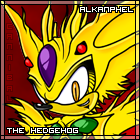
This is my first work, that is related to my two favorite things - Guyver and Sonic the Hedgehog. This is Alkanphel in form of hedgehog, drawn in so called Sonic Team Style. Photoshop only. It take me 3 days to draw it x)) Please leave yours comments
-
Thanks! There is next one, that is related to my two favorite things - Guyver and Sonic the Hedgehog. This is Alkanphel in form of hedgehog, drawn in so called Sonic Team Style. Photoshop only. It take me 3 days to draw it x)) Please leave yours comments
-
That was drawn in photoshop, using one picture from VDF: Logo for "Cronos Airlines" or maybe for "Cronos Mail" 1280x1024 version 1024x768 version
-
That was drawn in photoshop, using one picture from Guyver VDF: Logo for "Cronos Airlines" or maybe for "Cronos Mail" x)) 1280x1024 version 1024x768 version
-
Happy birthday
-
Thanks guys. Here is more players for dream team Elegen, Richard Guyot, Imakarum Mirabilis, Thancrus, Valkyrie and Zerbebuth:
-
The second pack of NBA logos is here! Elegen, Richard Guyot, Imakarum Mirabilis, Thancrus, Valkyrie and Zerbebuth:
-
Happy BDay dude!
-
Read the second post! The map was moved. ------------------------------------------------------------ You may already know this cool service, that provide the maps for communities - Frappr.com. I decided to make a map for us - guyver fans. It will be cool! Here the link to it: http://www.frappr.com/guyver Please everybody join the map! These maps based on Google Maps, so if you live in a big city, you can specify your location to house or even "place, where your flat is". This tuning may be done in your profile (but I can not do that tuning for some reason, that I do not know. The year ago it was not problem for me, but now I just do not understand - how to move my pin from the center of my town x)) Maybe tuning of pin disabled now, I do not know) Also you can attach the photo or avatar and a comment to your pin.
-
Oh, I didn't seen this topic before sent the PM to you Please place the link of my site Guyver-World.ru - its 100% about Guyver ...and its 100% russian x)) (and autotranslate is down ) I placed banner of Warriorguyver.com here: http://guyver-world.ru/guyver_links.html the code of my 468х60 banner is: there is some other banners with different colours: http://guyver-world.ru/banners.html if you will write description under banner, please write in it something like: "russian guyver fan-club"
-
Hi all! Here's all Guyver fanart by me: Guyver 1 with beer x)) Cronos logo: Russian Guyver TV logo (thanks to Demonized font): Guyver NBA Logos x)) (lines of characters by Yoshiki Takaya!) And little mask, that i make together with my mother: also all of this present on my DA: http://cannibal-hyper-tails.deviantart.com/
-
Guyver NBA logos! x)) lines of characters are by Yoshiki Takaya
-
EDIT 09.2015: wow, after Imageshack basically "went down" I need to edit all of my posts here. What a mess. Here some of my art: Guyver 1 with beer (pencil): Cronos logo from Guyver TV (photoshop): Russian logo for Guyver TV (photoshop): Cannibal Hyper Tails (photoshop): Sonic The Hadgehog (photoshop):
