Skip to content
View in the app

A better way to browse. Learn more.

Japan Legend / Guyver Forum

A full-screen app on your home screen with push notifications, badges and more.

To install this app on iOS and iPadOS
  1. Tap the Share icon in Safari
  2. Scroll the menu and tap Add to Home Screen.
  3. Tap Add in the top-right corner.
To install this app on Android
  1. Tap the 3-dot menu (⋮) in the top-right corner of the browser.
  2. Tap Add to Home screen or Install app.
  3. Confirm by tapping Install.

SolBlazer

Member+
  • Joined

  • Last visited

Everything posted by SolBlazer

  1. Combining Megaman and other stuff i can think of xD
  2. I felt the same way before getting one myself lol, but i end up buying it just for the hell of it. Site saids active area of the screen is 11.6 in x 6.5 in, but I don't have measuring tape so can't really tell.
  3. I use cintiq 13hd. Had to redraw this one have computer crash and did not save..=P
  4. thanks, it only a few minutes.
  5. haha... well, atleast u complete something. I procastinate too much to finish any artwork i start.
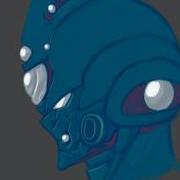
  6. Haven't draw for months... so i guess i start with something little complex and did this from memory

Account

Navigation

Search

Search

Configure browser push notifications

Chrome (Android)
  1. Tap the lock icon next to the address bar.
  2. Tap Permissions → Notifications.
  3. Adjust your preference.
Chrome (Desktop)
  1. Click the padlock icon in the address bar.
  2. Select Site settings.
  3. Find Notifications and adjust your preference.