OverPoweredScrub
Member+
-
Joined
-
Last visited
-
So... i was messing around and google and i found this, this could just be a troll of some kind. But its got voice actors as the cast and the runtime is 30 minutes. Could it be that guyver anime is coming back in 2016. Just a thought. Also i have recently made a gaming channel on youtube if any of you fancied a look? https://www.youtube.com/channel/UCGA6fZjbng_IPpK57b5Yhgg

-
Yeah, the potential of the guyver series is insane, definately needs more fame in my opinion.
-
Anytime!
-
The first time i saw guyver, my older brother was in the marines at the time and he came back on holiday(vacation) with a VHS called ''Guyver - Dark Hero'', ever since i watched that movie ive been hooked. Guyvers been a huge part of my life ever since i was little. Then me and him starting watching all the manga series on VHS. The cover design was so good, and that instead of episodes they were called ''data'' ''data 1 - 4'' etc. But that scene in dark hero where the guyver is connecting with the ship and crane orders his two zoanoids to get him, next thing, two zoanoids come flying out the entrance flips n drenn, and guyver does an epic walk out. Most epic entrance EVAR!!!!
-
So gutted that we have not recieved a third guyver movie or even another anime series. There is so much left to be told , theyve already got the storyline to follow from the comics. I CRI EVERYTIEM
-
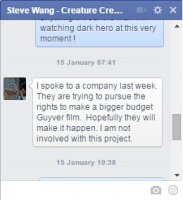
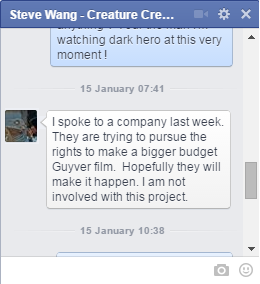
So i spoke to steve wang on facebook. Check it! DO NOT TAKE THIS AS 100% CONFIRMED. I WILL POST AGAIN HERE IF I GET MORE INFO.