Skip to content
View in the app

A better way to browse. Learn more.

Japan Legend / Guyver Forum

A full-screen app on your home screen with push notifications, badges and more.

To install this app on iOS and iPadOS
  1. Tap the Share icon in Safari
  2. Scroll the menu and tap Add to Home Screen.
  3. Tap Add in the top-right corner.
To install this app on Android
  1. Tap the 3-dot menu (⋮) in the top-right corner of the browser.
  2. Tap Add to Home screen or Install app.
  3. Confirm by tapping Install.

Leaderboard

Popular Content

Showing content with the highest reputation on 08/09/2019 in all areas

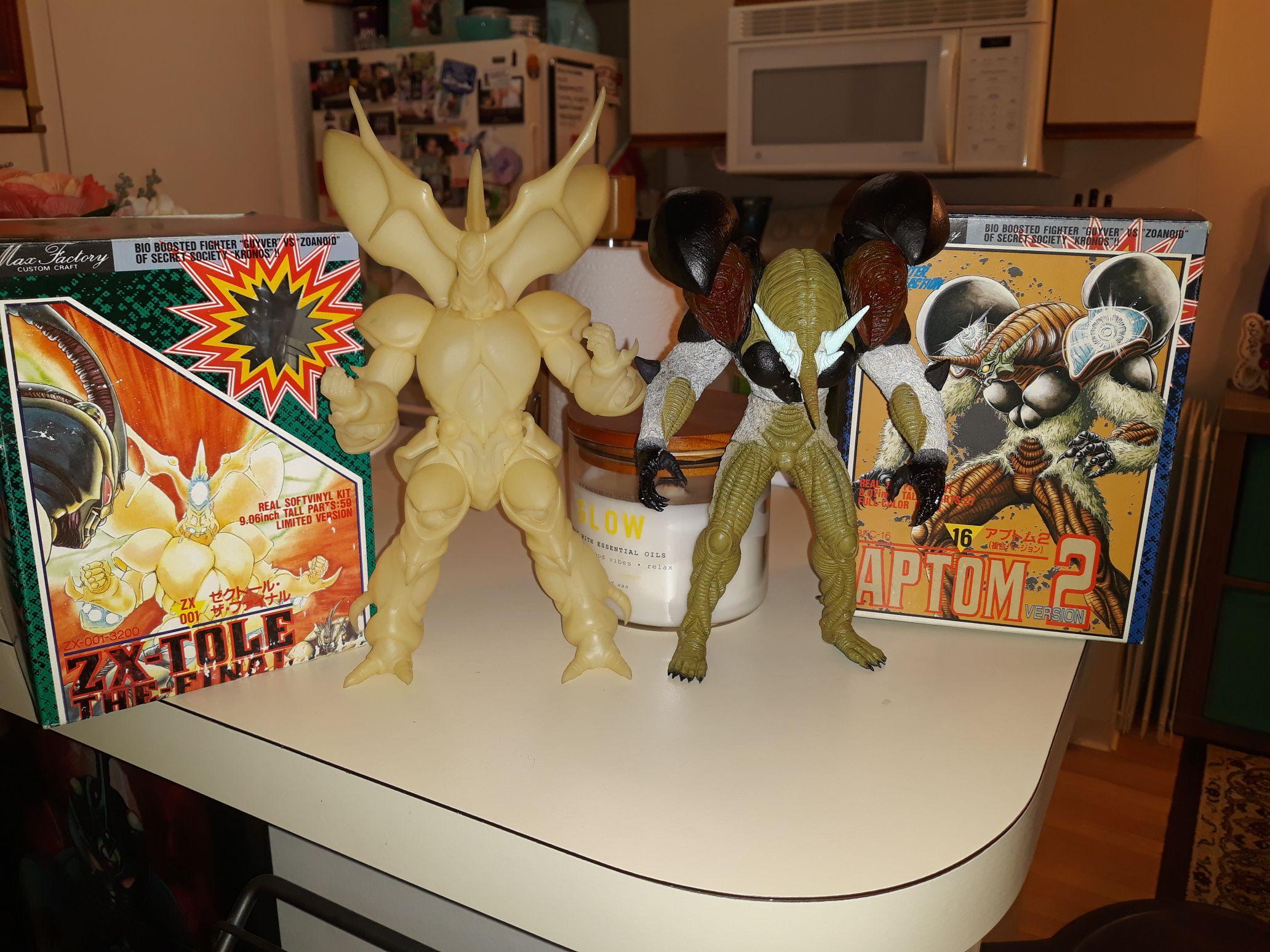
  1. Thanks dude! I got the shoulders to work fine. No glue for them needed. They work great! No instructions needed. The zx tole is cool. He glows in the dark and is about the same scale as the action figure. Super happy with them! I have to get the rest out and on the shelf but am lacking room in the moment... so I will redo it all soon to properly display it all!
  2. The top of the shoulder canons is 2 parts. There is the part that opens and then there is a ball it attaches to. The ball then sits in the socket allowing you to open and close it.

Account

Navigation

Search

Search

Configure browser push notifications

Chrome (Android)
  1. Tap the lock icon next to the address bar.
  2. Tap Permissions → Notifications.
  3. Adjust your preference.
Chrome (Desktop)
  1. Click the padlock icon in the address bar.
  2. Select Site settings.
  3. Find Notifications and adjust your preference.