May 4, 201511 yr I've also made an animation but it's quite large as it's high def. The organism inside moves around as you would expect to see.
May 14, 201511 yr Author Sorry it took me a while, work and rl stuff. I appreciate the kind words. I'm using blender to create the model. I'm actually slowly ( 1 person doing the job of many ) coding something special in Unity. Not sure on the legal standpoint at this point so I may have to scrap everyting Guyver related if I run into a road block. If not, 3d Guyver game is in the works. Slowly. Very very slowly.
May 14, 201511 yr Author quarter resolution version of the anim so it can fit under the 1mb limit losresolution.avi
May 14, 201511 yr what technique are you using? is it simple mesh edit for the outer casing and an extruded shape for the organic bits?I had a number of tries at doing a g-unit, it's quite tricky to get it right isn't it? especially the organic bits. Good work, I look forward to seeing your progress
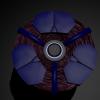
May 14, 201511 yr Author As far as technique, i'm not sure that I'm using a specific one lol. But the technicals are this. Using multiple referrence pictures, I created the outer parts individually, then once I have a rough shape I like, I fine tune positioning and general look and feel. After that, I parent the individual parts to eachother and then to the central sphere, using it as a rotation reference point. Paste in a few copies, build your color schemes. Then move on to the organism once the "shell" is built. For the organism, I find that a torus shape is perfect, randomize the verticies, and smooth, rinse and repeat until you get a single ring of smooth, natural, bio-material. For extra smoothing, after i have the general shape i want, I then subdivide the verticies once to allow for an even smoother look when I smooth it out. Repeat a few times, and you have approx 20-30 rings to make up the organism. Flatten out and streatch a few torus rings to give some filler between the organism. Then start on the animation. Setting each ring slightly offset on the z axis and using thhe sphere as the pivot point, it's just time consuming to set a key, then move each ring to where you want it, and set another key. Render the animation, and you're done.
May 14, 201511 yr I see! so pretty much mesh editing. using torus' for the organic bits is a pretty good way to go. especially using deformations. I think it might be quite cool to use a smoke texture for a displacement map if you want to improve it. it would give a smoother and more billious shape. I'm not familiar with blender though so I'm not sure if the tools are there.

Join the conversation
You can post now and register later. If you have an account, sign in now to post with your account.