Skip to content
View in the app

A better way to browse. Learn more.

Japan Legend / Guyver Forum

A full-screen app on your home screen with push notifications, badges and more.

To install this app on iOS and iPadOS
  1. Tap the Share icon in Safari
  2. Scroll the menu and tap Add to Home Screen.
  3. Tap Add in the top-right corner.
To install this app on Android
  1. Tap the 3-dot menu (⋮) in the top-right corner of the browser.
  2. Tap Add to Home screen or Install app.
  3. Confirm by tapping Install.

Brought to life - AI powered

Featured Replies

Had some free time so thought I’d play around with AI and make use of my procrastination to bring to life a couple of my favorite characters.

Hope you don’t mind Allen!

Lord Zagam & Anubis,

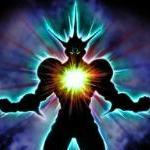
Lord Zagam: 100% W'kar endowment - matrix bomb

Lord Zagam: black hole generation - human form transformation - throne room

E74DD6D3-82BA-47E3-B3C6-423821C2F086.png5CE86075-1900-4B58-BC4D-23FF2AA4BA4A.pngEBE9FD72-8AC5-4495-A0BA-5E416E4D4D6E.png69B9F9DB-D098-4285-A355-EDF4D86E5267.png42FE15F1-C801-49E0-BE19-EBB2E7C6B26A.pngB5D804C9-F815-45D1-8AED-4E100485559E.png3D95A5BB-EC43-4364-BB43-874D89A76487.png42283A28-7F72-4454-8835-744D7540A2B9.png

Lord Zagam - 40% W'kar endowment

DBFAB17D-56A2-4E3C-9160-0FEE8965FC9A.png

Edited by Juggernought

Join the conversation

You can post now and register later. If you have an account, sign in now to post with your account.

Guest
Reply to this topic...

Account

Navigation

Search

Search

Configure browser push notifications

Chrome (Android)
  1. Tap the lock icon next to the address bar.
  2. Tap Permissions → Notifications.
  3. Adjust your preference.
Chrome (Desktop)
  1. Click the padlock icon in the address bar.
  2. Select Site settings.
  3. Find Notifications and adjust your preference.