Skip to content
View in the app

A better way to browse. Learn more.

Japan Legend / Guyver Forum

A full-screen app on your home screen with push notifications, badges and more.

To install this app on iOS and iPadOS
  1. Tap the Share icon in Safari
  2. Scroll the menu and tap Add to Home Screen.
  3. Tap Add in the top-right corner.
To install this app on Android
  1. Tap the 3-dot menu (⋮) in the top-right corner of the browser.
  2. Tap Add to Home screen or Install app.
  3. Confirm by tapping Install.

Leaderboard

Popular Content

Showing content with the highest reputation on 10/12/2025 in Posts

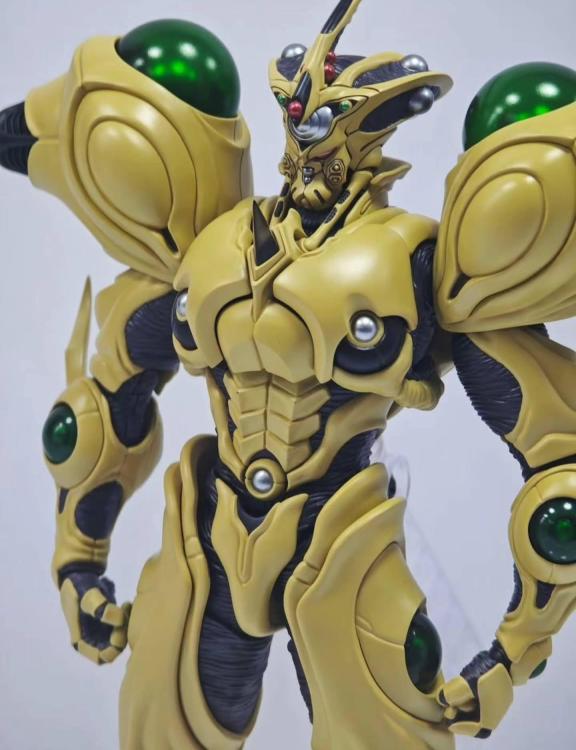
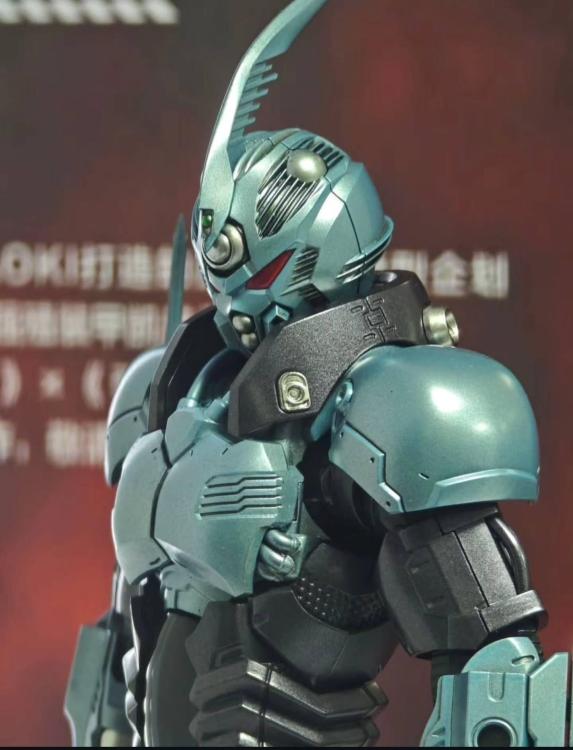
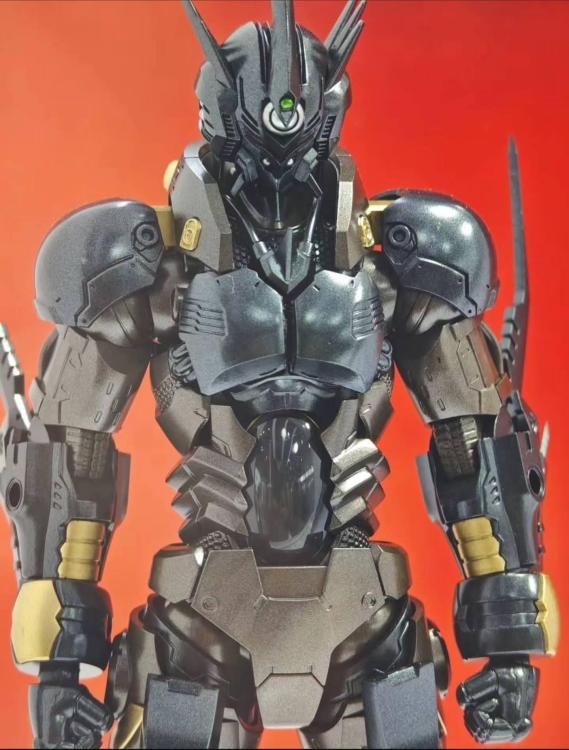
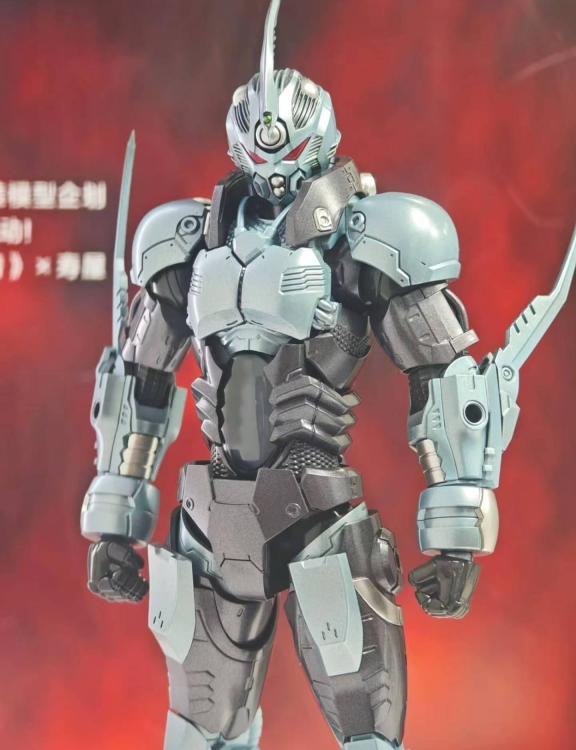
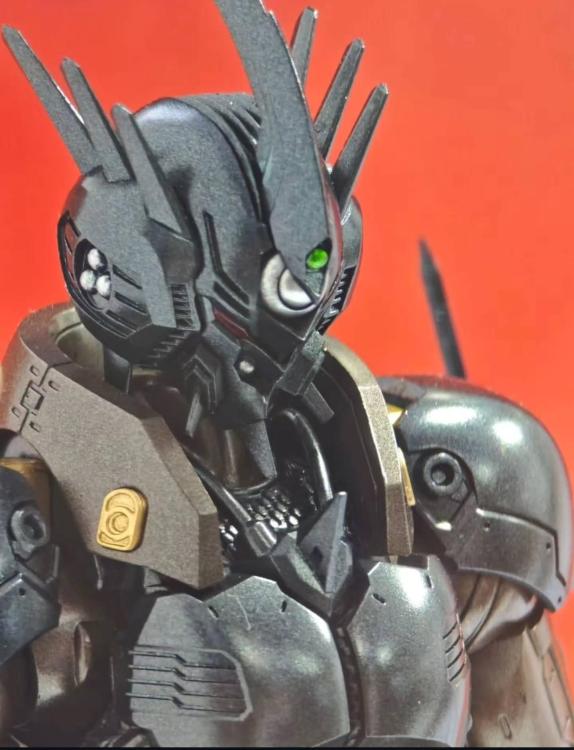
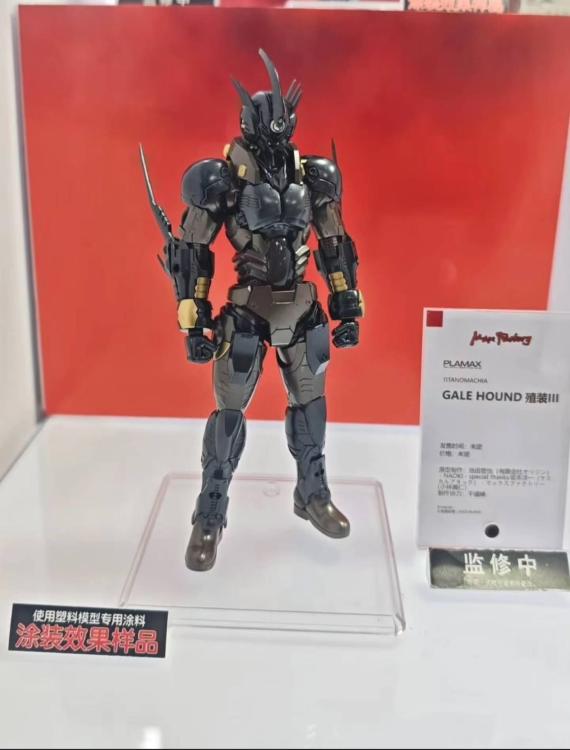
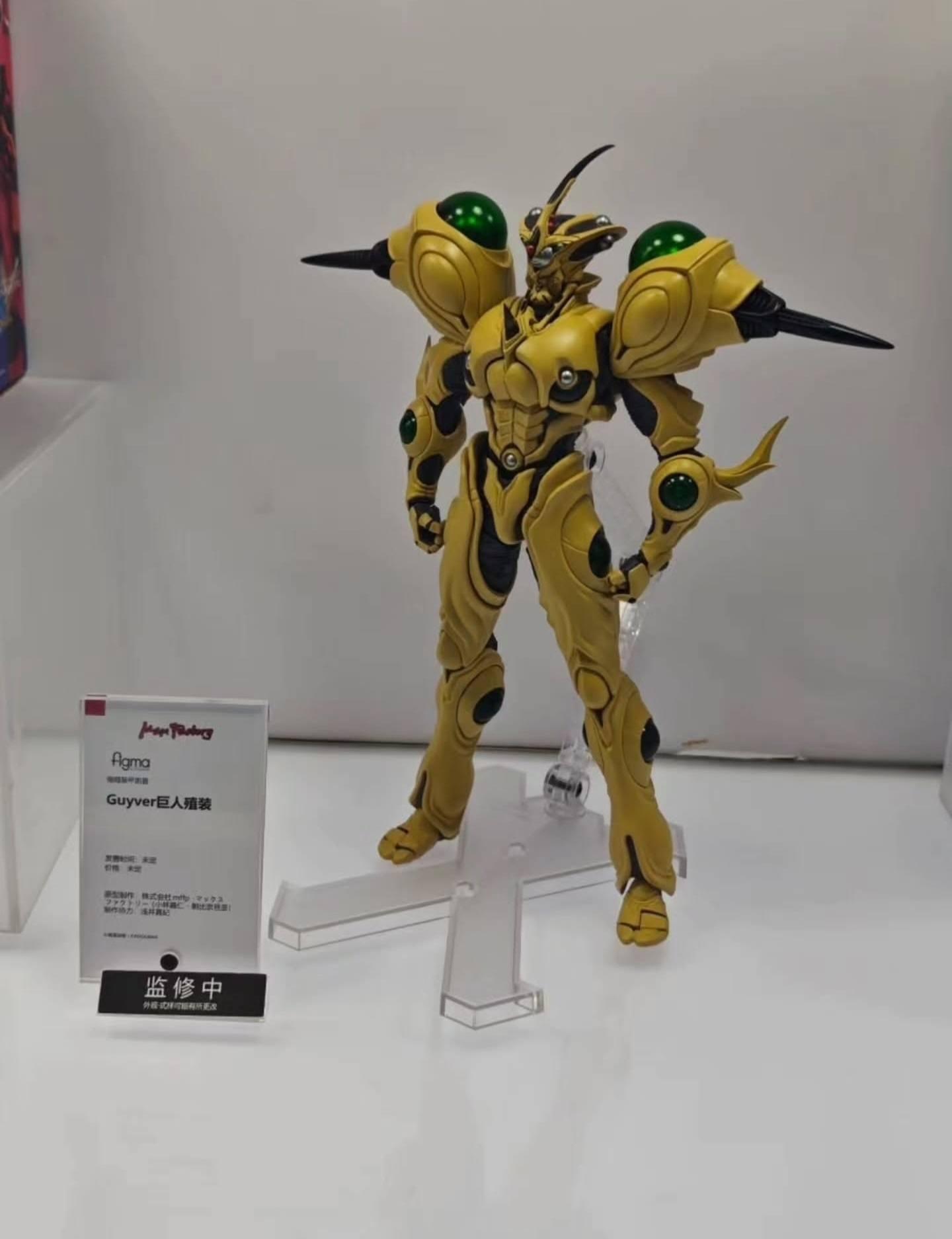
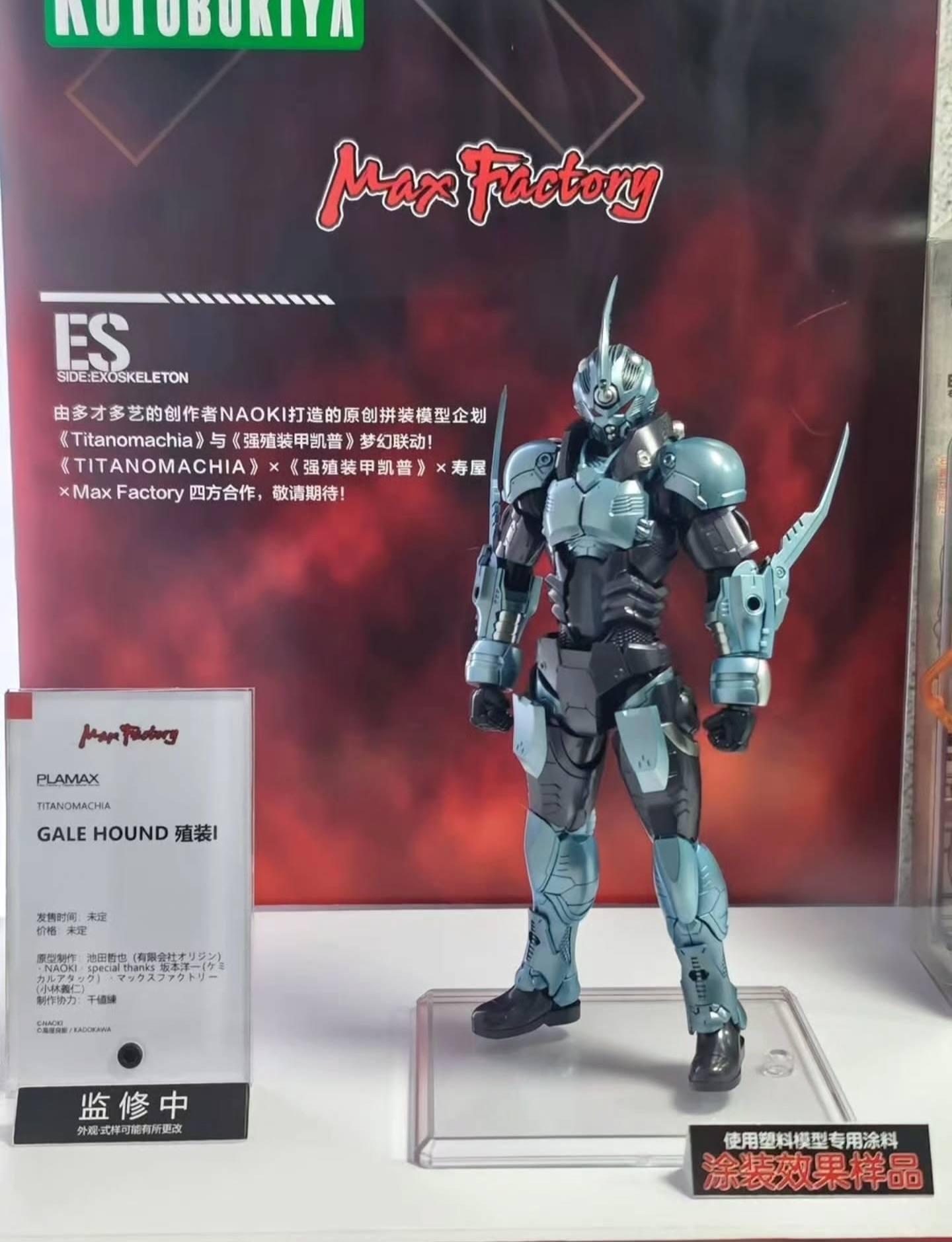
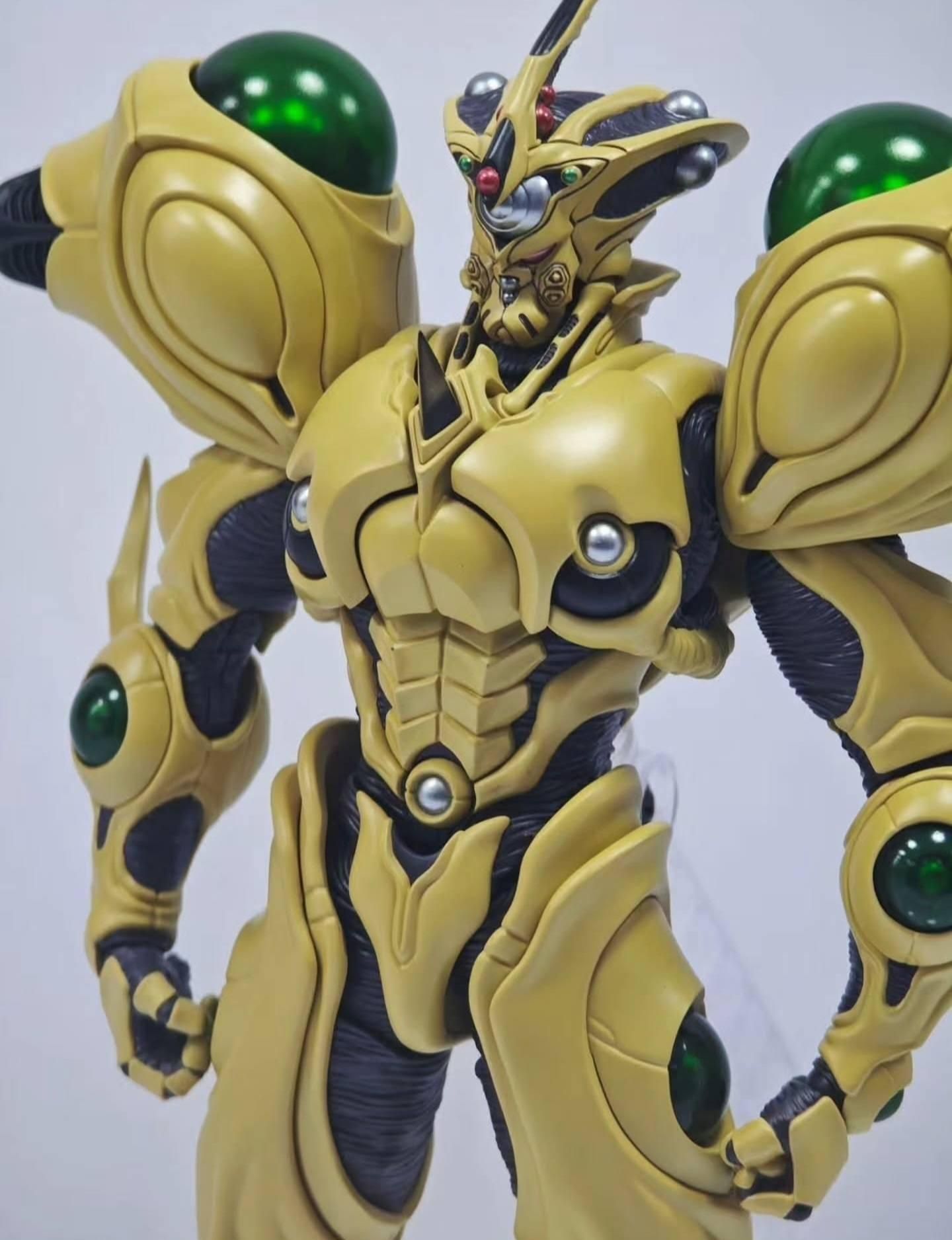
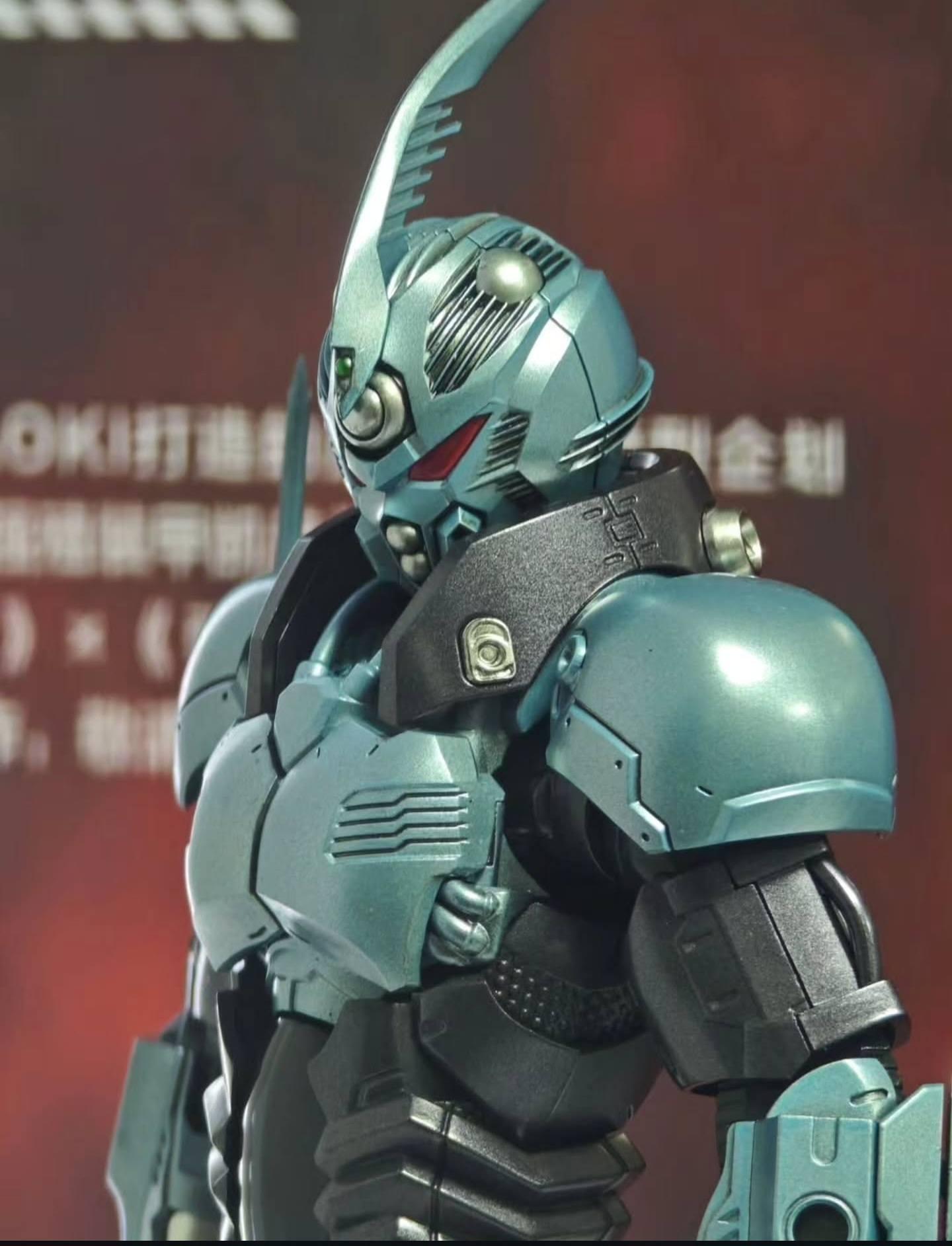
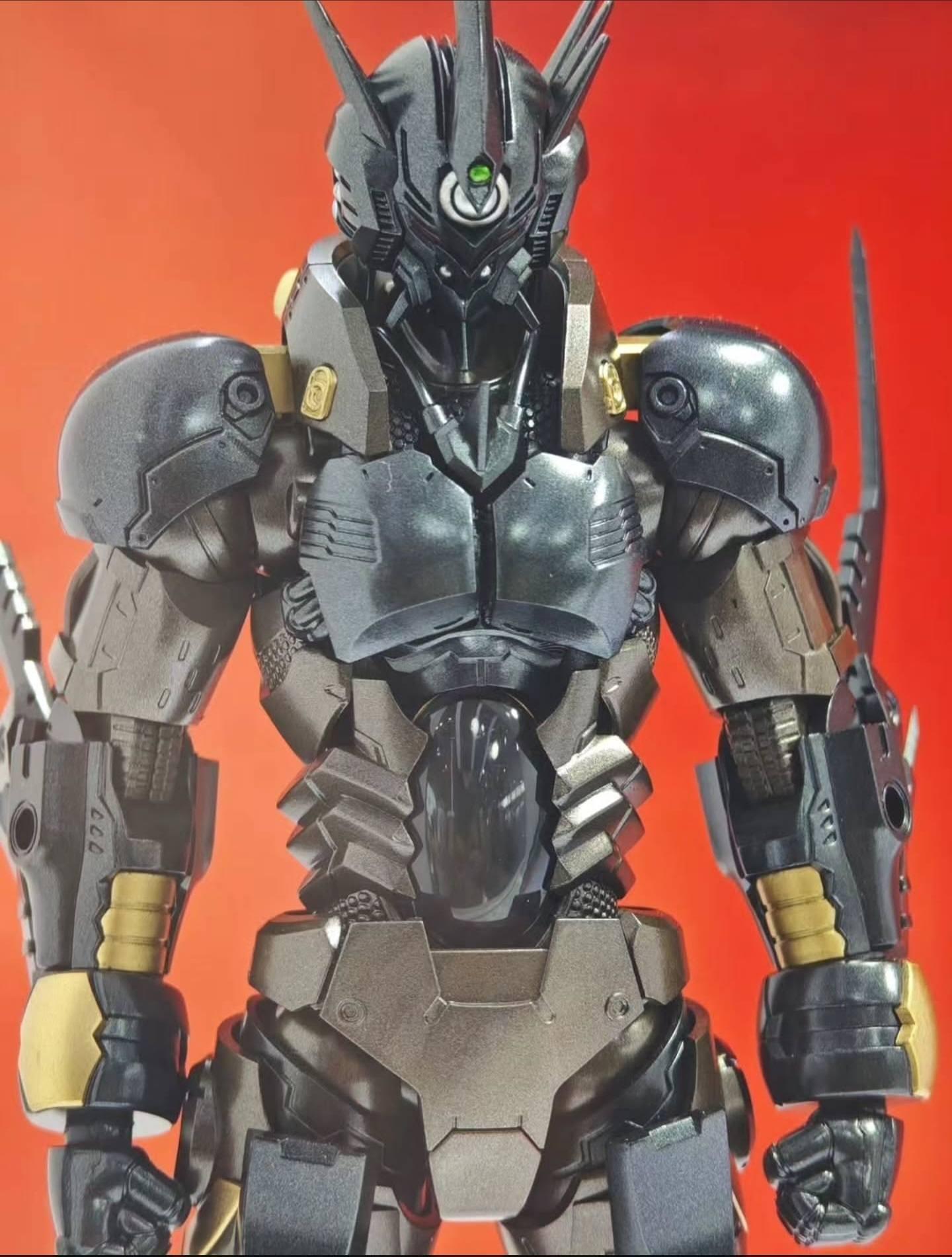
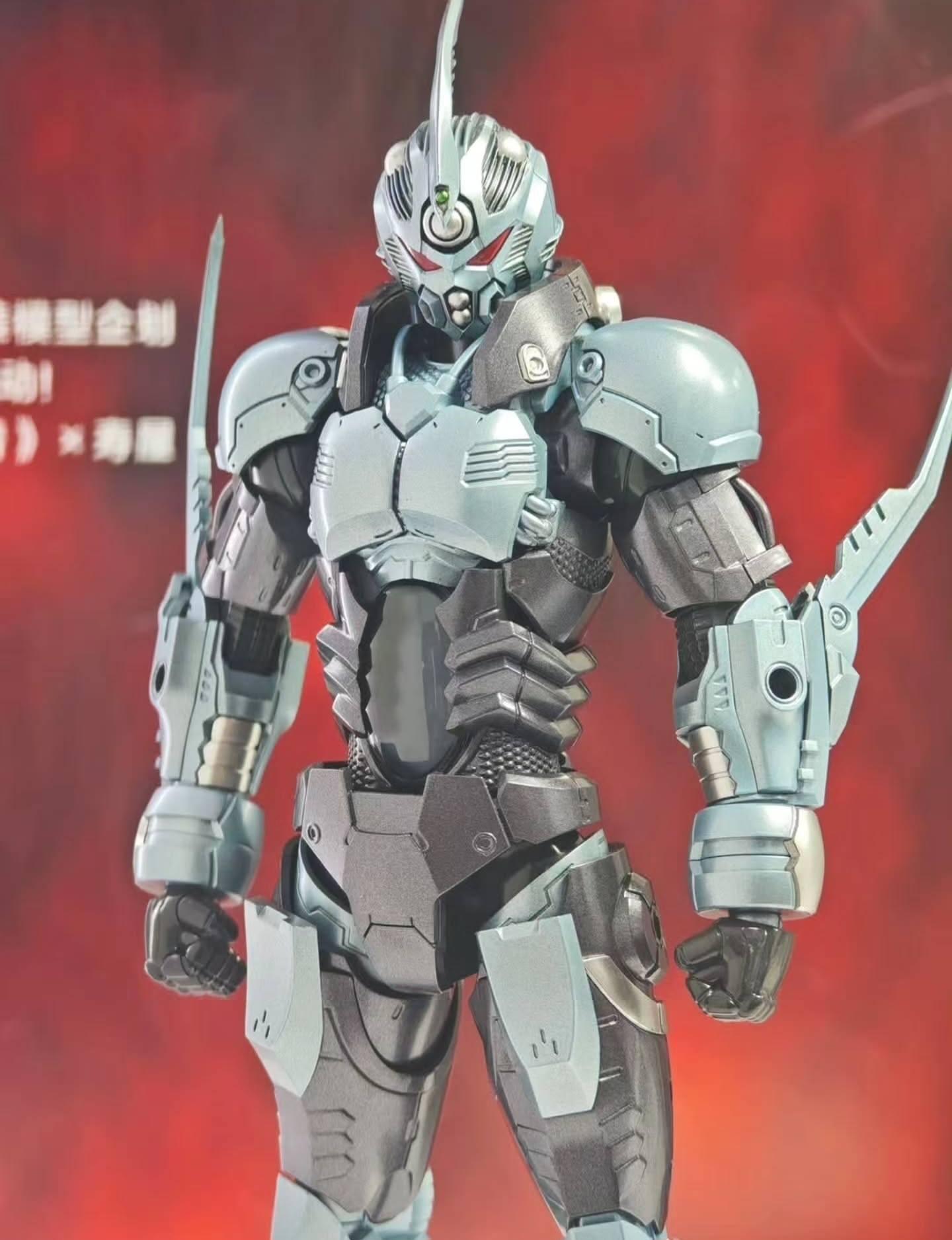
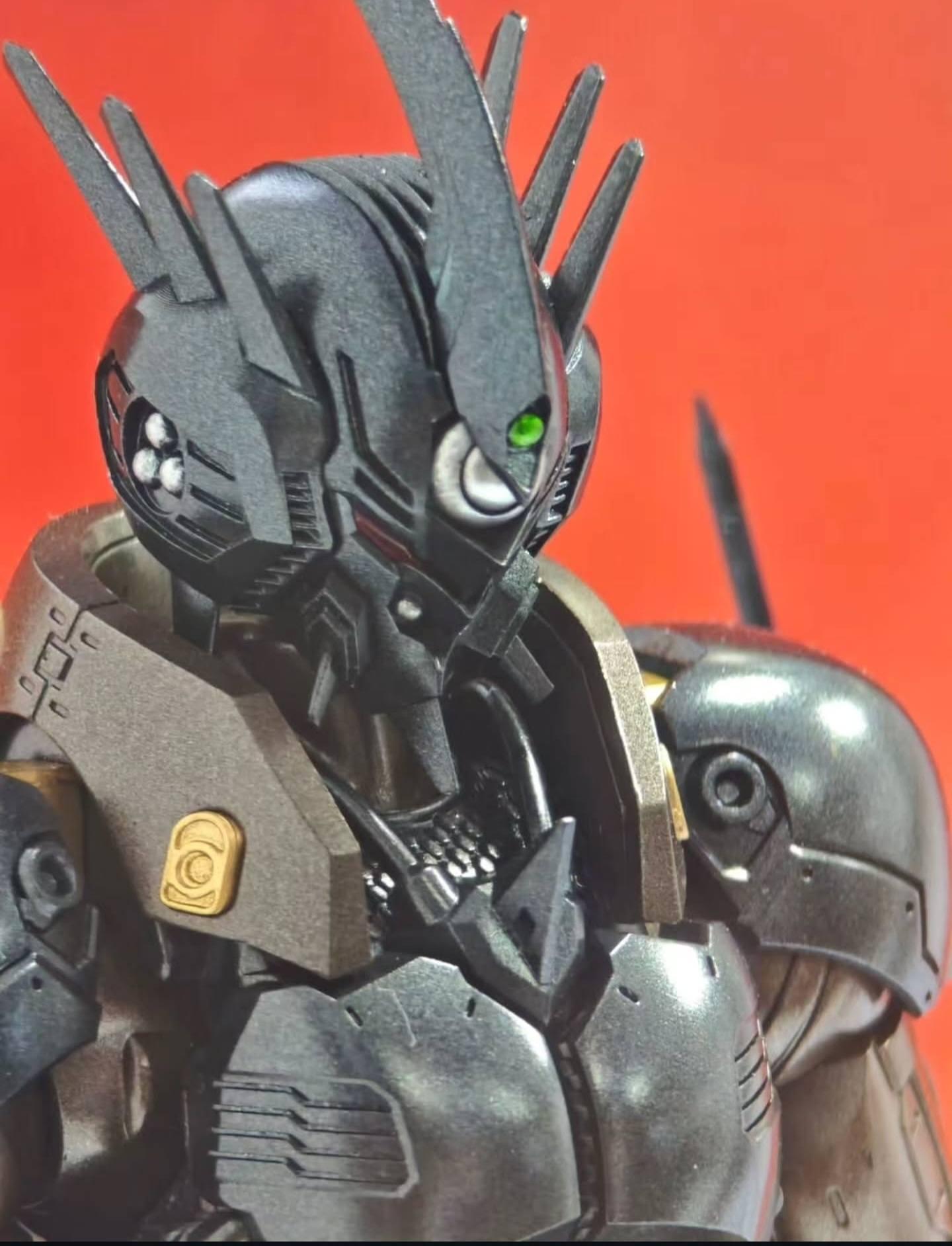
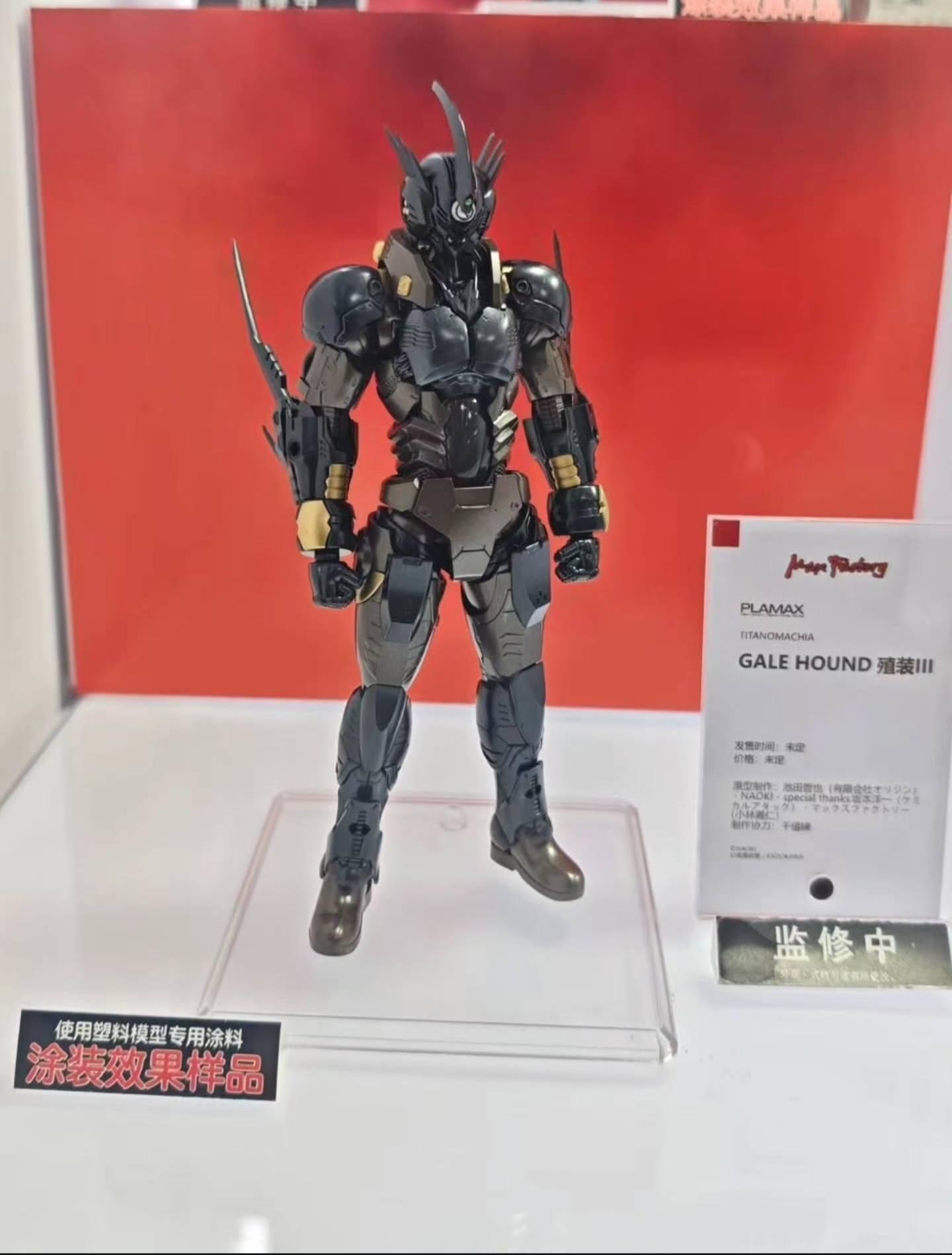
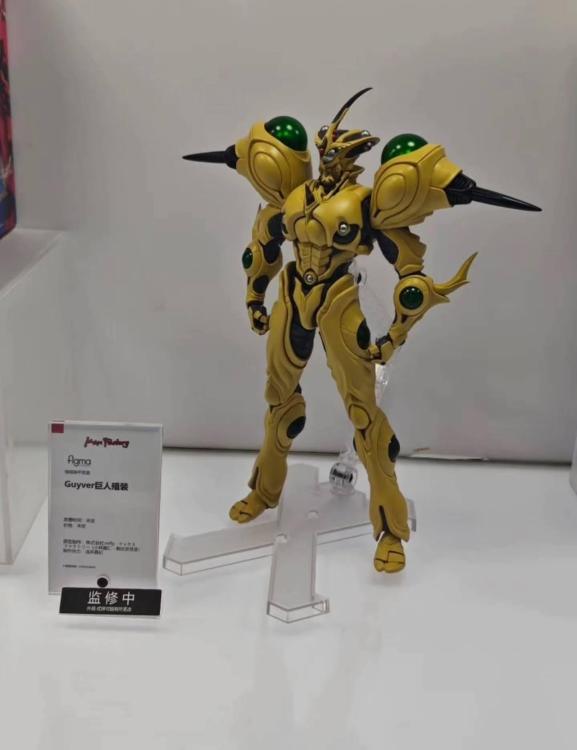
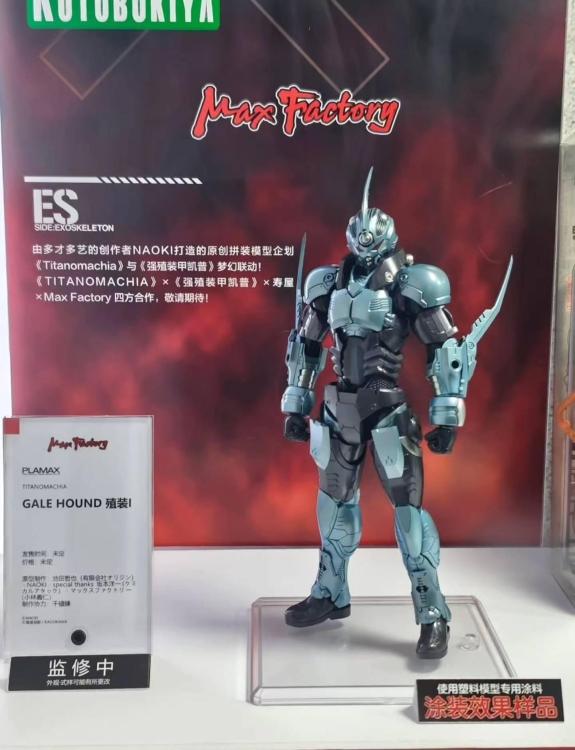
  1. It's been a week and we finally got some shots of the upcoming Guyver merch from the Shanghai Wonderfest 2025. No preorder dates yet, but the Titanomachia Guyver 1 and Guyver 3 kits are looking better, this time with a splash of color... But I don't think they are done with the armor on them just yet. And a couple shots of the upcoming Figma Guyver Gigantic. Hopefully we will get a pre-order date soon. Thanks to Donald Burtschi from the Guyver!! Facebook group for sharing these!
Account

Navigation

Search

Search

Configure browser push notifications

Chrome (Android)
  1. Tap the lock icon next to the address bar.
  2. Tap Permissions → Notifications.
  3. Adjust your preference.
Chrome (Desktop)
  1. Click the padlock icon in the address bar.
  2. Select Site settings.
  3. Find Notifications and adjust your preference.