
Leaderboard
-
Azaar
Member++2Points211Posts
Popular Content
Showing content with the highest reputation on 03/11/2019 in all areas
-
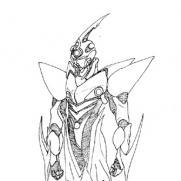
Interestingly enough, Guyver (Mutronics) and Guyver 2: Dark Hero are prequels, at least in the Warrior Guyver universe. Sean bonded with his unit a year or more before Chronos discovered the "original" three units in Japan. As for the rest of the post -- there's no denying that Mutronics is bad, I won't even try to defend that. Sully, however, has said before that he wants to rewrite the first movie because of all the wacky crap that went on for the WG universe. So at least there's that. And, speaking for myself, there's actually one character from Mutronics that I have planned on using for my Stellar Warrior Guyver stuff that I'm (slowly) writing for the site. Regarding Guyver: Dark Hero specifically -- I think the main reason why Sean's Guyver unit doesn't look to be as powerful as Sho is demonstrated to be over the course of the anime/manga is budgetary consideration. Mutronics had a paltry $3,000,000 budget; Dark Hero was under a third of that, at $900,000. Between that and the state of special effects from the late 1980s and into the early 1990s, it's little wonder that it looks less than extraordinary. Terminator 2 in 1992 was an outlier in many respects, not the least of which is because James Cameron knew how to push the envelope. I will say, however, that I really wish that whoever has the movie rights to The Guyver will open it up to give someone another shot at it.2 points