
Leaderboard



Popular Content
Showing content with the highest reputation on 12/29/2018 in Posts
-
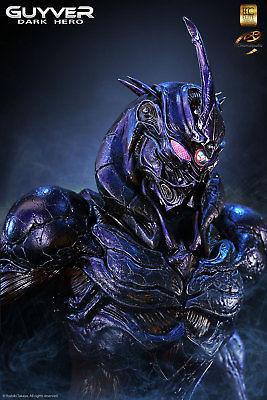
1 pointJust came across this on eBay.... if only I had the cash (and an understanding girlfriend!) Even signed by Steve Wang eBay link
 1 point
 -
1 pointI got into it back in 95. The manga vhs came out and I bought the first tape and watched a million times. There was local comic shop I went to and they carried the single issues and graphic novels of he viz manga. I bought and read all of them. Then it was cancelled and I couldn't read it anymore. I got back to reading it on this site back in 2014. I have read and re read all 32+ books and the newest chapters 6 times over the years. I try to watch the animes, both versions, one a year. So long as I have time to do so. This is my favorite manga. Totally worth the wait for the next chapter. As an artist I like to study all of the detail in Takaya's work so I never get bored re reading the chapters.1 point