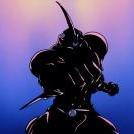
January 24, 201412 yr I've been wanting a new back patch for my battle jacket, and I thought Guyver would be a great idea! I've ordered from here before, and I think the image was 700x900 pixels or something like that, but it states it has to be no smaller than 900 x 900 (http://www.ebay.com.au/itm/170847049306) I was hoping to get either of the following Guyver images, and if anyone has them in the right size, that would be fantastic... and preferably without the text.
January 24, 201412 yr There are big scans of similar covers on the Guyver merchandise page in the wiki: http://www.japan-legend.com/wiki/index.php?title=Guyver:_Merchandise I think the best ones are: and EDIT: I also made a version of two Guyvers without icons: (I hope to made a wallpaper of it if I can make a similar background) Edited January 24, 201412 yr by Cannibal
January 27, 201412 yr There are big scans of similar covers on the Guyver merchandise page in the wiki: http://www.japan-legend.com/wiki/index.php?title=Guyver:_Merchandise I think the best ones are: and EDIT: I also made a version of two Guyvers without icons: (I hope to made a wallpaper of it if I can make a similar background) Why not just cut out the characters from the background? Then you can use whatever you want for the background.
January 27, 201412 yr That may be a good option. Maybe I just love how that background looks, with those nice cracks and colours. (But this wallpaper idea already went to my never moving and lazy "to do list", so who knows when I'll do it )

Join the conversation
You can post now and register later. If you have an account, sign in now to post with your account.