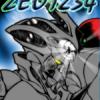
September 1, 200620 yr The good news is most of it is done but the bad news is Takaya is taking a break till at least November. Though in a way that is good news since the last time he took a break we got the new anime series. So hopefully that is a sign that a second season is on its way. But this is also bad in that it leaves us with a cliff hanger since the chapters so far done for vol 24 end with Sho having regained the Gigantic from Agito only to face an incredibly large Zoalord. And the last panel shows the Gigantic powering up in a way we have never seen before. What does Takaya have in mind? Seems we're going to have to wait a bit to find out but here's the last panel for all to see and let the guessing begin.
October 10, 200619 yr I hope we get a second season of the anime tv series! I hope this new power is pretty cool...
October 11, 200619 yr Author Well we should know sometime in November. By that time they should give some official announcement if they are going through with a second season which seems likely at this point. And whatever Sho is up to I'm sure it'll be feakin awesome
October 11, 200619 yr From what I have heard there WILL be a season 2. I am pretty sure that season 2 is already in production,.. but this is not official or confirmed so you didnt hear it from me.

Join the conversation
You can post now and register later. If you have an account, sign in now to post with your account.