
Skip to content
View in the app

A better way to browse. Learn more.

Japan Legend / Guyver Forum

A full-screen app on your home screen with push notifications, badges and more.

To install this app on iOS and iPadOS
  1. Tap the Share icon in Safari
  2. Scroll the menu and tap Add to Home Screen.
  3. Tap Add in the top-right corner.
To install this app on Android
  1. Tap the 3-dot menu (⋮) in the top-right corner of the browser.
  2. Tap Add to Home screen or Install app.
  3. Confirm by tapping Install.

STX

Member
  • Joined

  • Last visited

Everything posted by STX

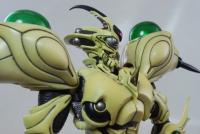
  1. Hi, Newbie here, but collector since long time. I tried to upload some pics, but the files were too big. 😭 Had pics of outer art box, manual, unique card and Guyver Gigantic itself. 1. The black outer is really a disappointment. Thin and not sturdy or offer any protection at all. 2. There is a Colored manual and a small card with the Guyver Gigantic and the unique serial number. 1200 total worldwide. 3. The Guyver is enormous, but very top heavy. A base is recommended or show case. 4. A masterpiece and centrepiece in any collection! And no, I was lucky to avoided Evil-bay 😄😜


Account

Navigation

Search

Search

Configure browser push notifications

Chrome (Android)
  1. Tap the lock icon next to the address bar.
  2. Tap Permissions → Notifications.
  3. Adjust your preference.
Chrome (Desktop)
  1. Click the padlock icon in the address bar.
  2. Select Site settings.
  3. Find Notifications and adjust your preference.