
Skip to content
View in the app

A better way to browse. Learn more.

Japan Legend / Guyver Forum

A full-screen app on your home screen with push notifications, badges and more.

To install this app on iOS and iPadOS
  1. Tap the Share icon in Safari
  2. Scroll the menu and tap Add to Home Screen.
  3. Tap Add in the top-right corner.
To install this app on Android
  1. Tap the 3-dot menu (⋮) in the top-right corner of the browser.
  2. Tap Add to Home screen or Install app.
  3. Confirm by tapping Install.

Rockshow2oo8

Member
  • Joined

  • Last visited

Everything posted by Rockshow2oo8

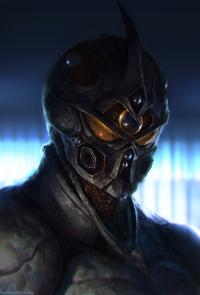
  1. Hi everyone, As long as the new Guyver movie (if one is ever made) isn't rated PG-13, I'm up for it. Nowadays almost every movie is rated PG-13, so that more people (kids actually) can see it. And I hate that, because it almost always ruins the source material, and Guyver isn't Guyver without all the blood & gore, and slicing & dicing. I'm not a bloodthirsty person, but I like seeing things as they were meant to be, without any sugar-coating. I would also like to see a Guyver video-game, something like Devil May Cry, hack & slash style


Account

Navigation

Search

Search

Configure browser push notifications

Chrome (Android)
  1. Tap the lock icon next to the address bar.
  2. Tap Permissions → Notifications.
  3. Adjust your preference.
Chrome (Desktop)
  1. Click the padlock icon in the address bar.
  2. Select Site settings.
  3. Find Notifications and adjust your preference.