thrawnuodo
Member+
-
Joined
-
Last visited
Everything posted by thrawnuodo
-
I don't really post a lot, but thought this ebook ranking article might be of interest to everyone, especially the following quote: "While the sales of its print edition has kept dropping (11,728,368 copies in 2014 to 8,778,048 in 2015 to 6,544,081 in 2016, becoming a half in three years), Hajime Isayama's Attack on Titan still holds its top position at the digital bookstore's general and male manga rankings for four consecutive years since 2013. (Also), One interesting entry is Yoshiki Takaya's long-running sci-fi action series Bio Booster Armor Guyver in the fourth, which has run in Japan for over 30 years and is still loved by many manga readers." Kind of gives me hope that this kind of popularity in Japan may lead to some published translations in the states to garner interest. Maybe that's what Takaya's hiatus is all about? Getting offers and coordinating a Guyver resurgence? Hey, it's a nice thought. http://www.crunchyroll.com/anime-news/2016/12/02/attack-on-titan-dominates-digital-bookstore-ebook-japans-manga-ranking-for-four-consecutive-years
-
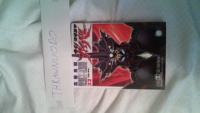
Just got my vol 32 and wanted to post the pic. Thanks.
-
Hi Yuki, Just ordered a copy of Vol 29 through the link. Can't wait to see the polished version. You guys are doing a great job. Keep up the good work!