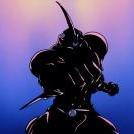
October 27, 201510 yr Who remembers this? I just stumbled across it on a very, very old data disk I had lying around. Good times! I miss the skin that went with that banner!
October 27, 201510 yr When I joined TheGuyver.net there was already Black (Namphid?) theme by default, but I was still able to change it to that lighter theme, if I'm not mistaken. I sure did witness that banner somewhere. There is a backup version of TheGuyverNet here on JL: http://guyvernet.japan-legend.com/but I think it's missing the forum part. ---- I wanted to go to archive.org to get the forum links, but archive.org is in maintenance mode right now. Edited October 27, 201510 yr by Cannibal
October 28, 201510 yr Archive.org is up! Here's the last capture of the GuyverBoard with that skin: web.archive.org/web/20061026113034/http://www.theguyver.net/guyverboard/index.php? The Cronos Board capture! web.archive.org/web/20051029182731/http://www.theguyver.net/guyverboard/index.php all other captures: web.archive.org/web/*/http://theguyver.net ------ Found out I joined TheGuyver.net on 12 December 2006. At first my nickname was Cannibal Guyver. Edited October 28, 201510 yr by Cannibal
October 28, 201510 yr Author I was BlazinGuyver until I started to go by MrMcTaco in 2007. I joined on April 1, 2005. I do remember lurking for quite awhile, however. Also being part of the Warrior-Guyver forums prior. Crazy! I joined 2 months before I turned 15! Time flies. Edited October 28, 201510 yr by MegaMcTaco

Join the conversation
You can post now and register later. If you have an account, sign in now to post with your account.